
Smart To-Do Management
Create reminders for internal and office-related tasks with Practive To-Do Management. Set due dates, assign responsibilities and schedule repeating To-Dos to keep everyday work organized and ensure important tasks are not missed.
TRUSTED BY 2,000+ CHARTERED ACCOUNTANTS
Manage internal activities, office reminders and additional work in one place.
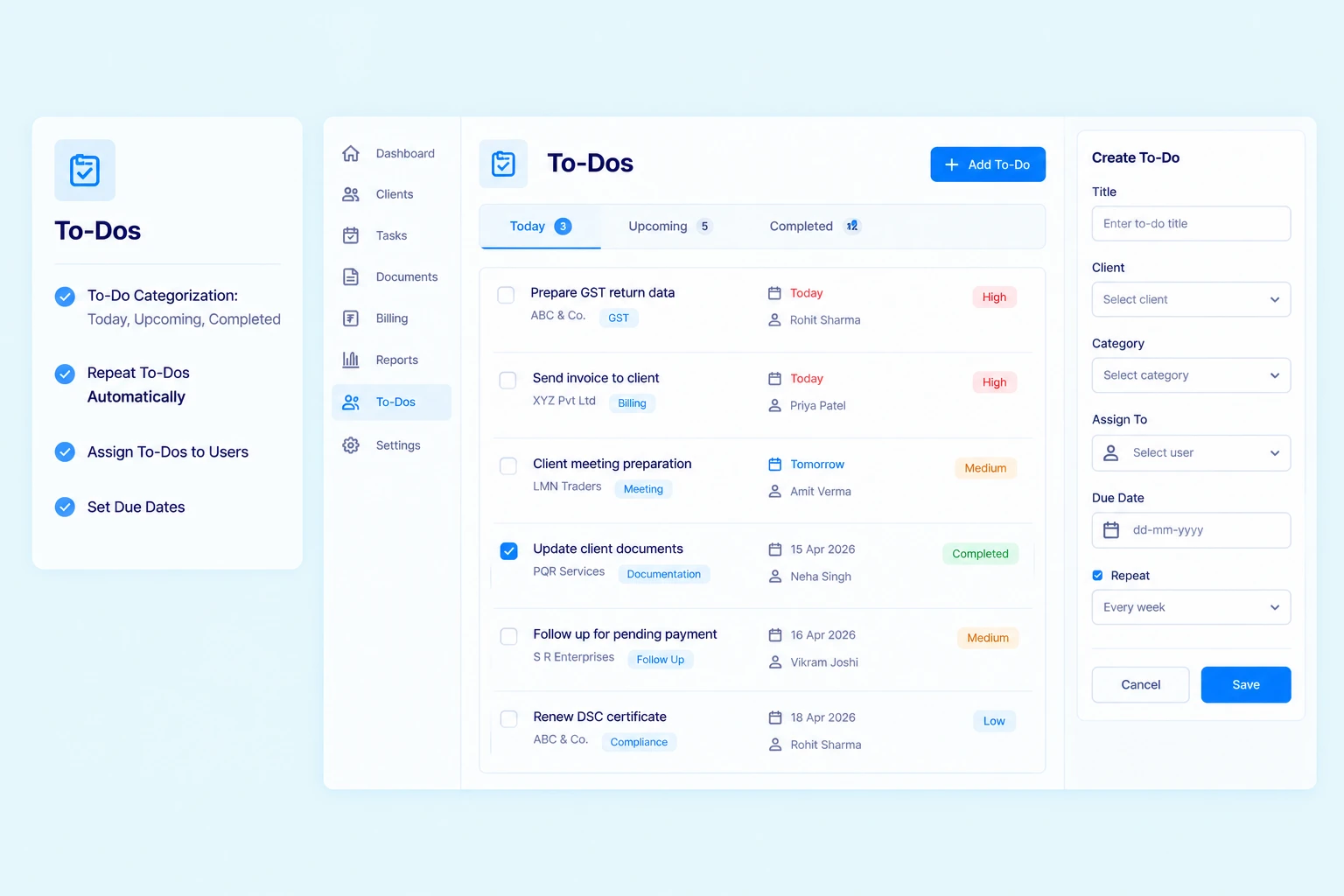
Practive helps your team organize To-Dos by due date, assign responsibilities and keep track of completion.
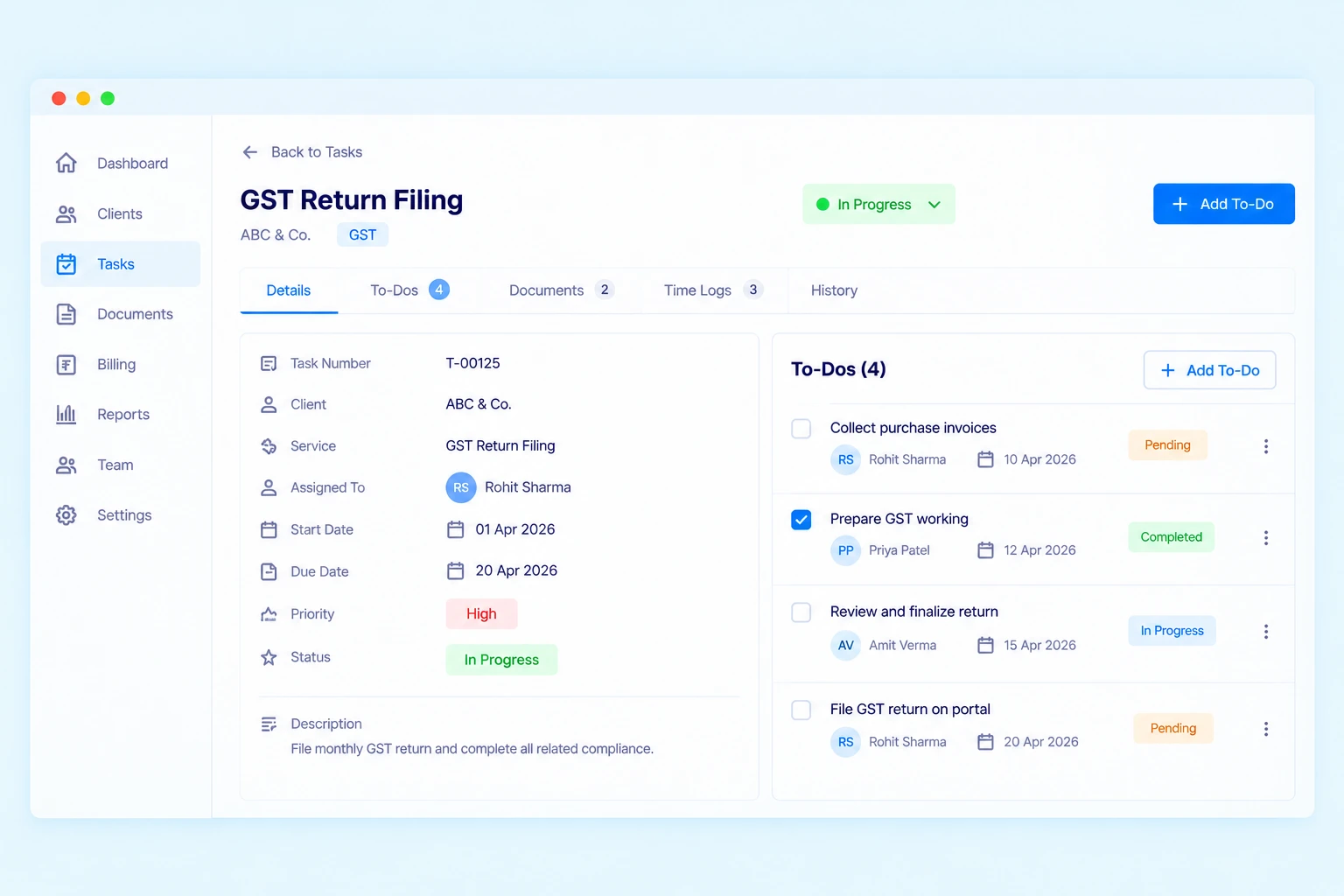
Sometimes additional work comes up while completing a client task. Practive lets you create To-Dos inside tasks to record unexpected activities or additional work associated with that task.
Keep task-related follow-ups organized alongside the main task instead of managing them separately.
Maintain reminders for internal and office-related activities in one place.
Use due dates and repeating To-Dos to keep recurring activities on your team's radar.
Use Today, Upcoming and Completed categories to find To-Dos based on their status and due date.
Assign To-Dos to the relevant team members.
Create To-Dos inside tasks to keep track of unexpected or additional work.
Practive To-Do Management works alongside other features used by your CA firm.
It helps CA firms organize internal reminders and office-related tasks by setting due dates, assigning users and scheduling repeating To-Dos.
Yes. You can set repeating To-Dos at a chosen interval, and they are created automatically according to the configured schedule.
Yes. You can assign To-Dos to the users responsible for completing them.
To-Dos are automatically grouped into categories such as Today, Upcoming and Completed.
Yes. You can create To-Dos inside tasks to manage additional or unexpected work associated with them.
To-Dos are useful for internal reminders, office activities and additional work. Tasks are used to manage the broader work assigned and tracked by your firm, including client-related activities.

Create reminders, assign responsibilities and schedule repeating To-Dos with Practive.