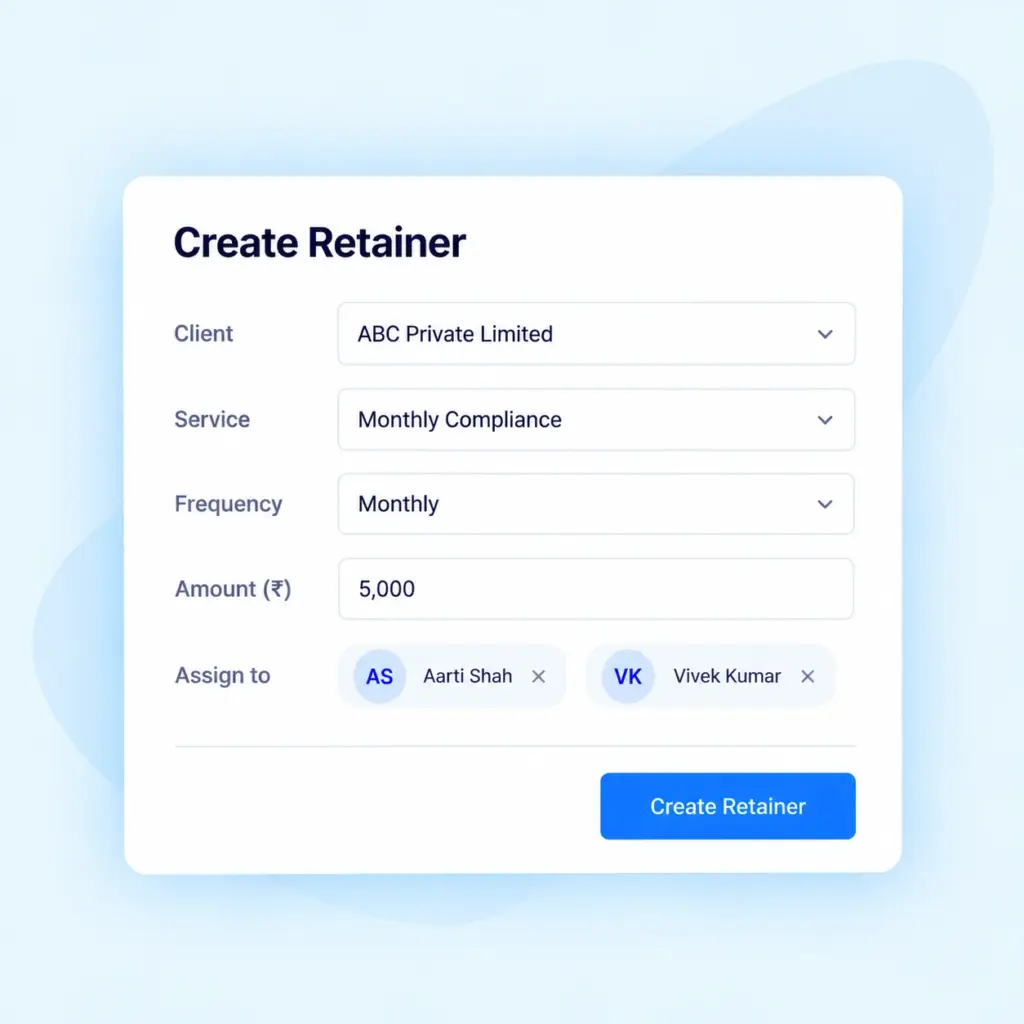
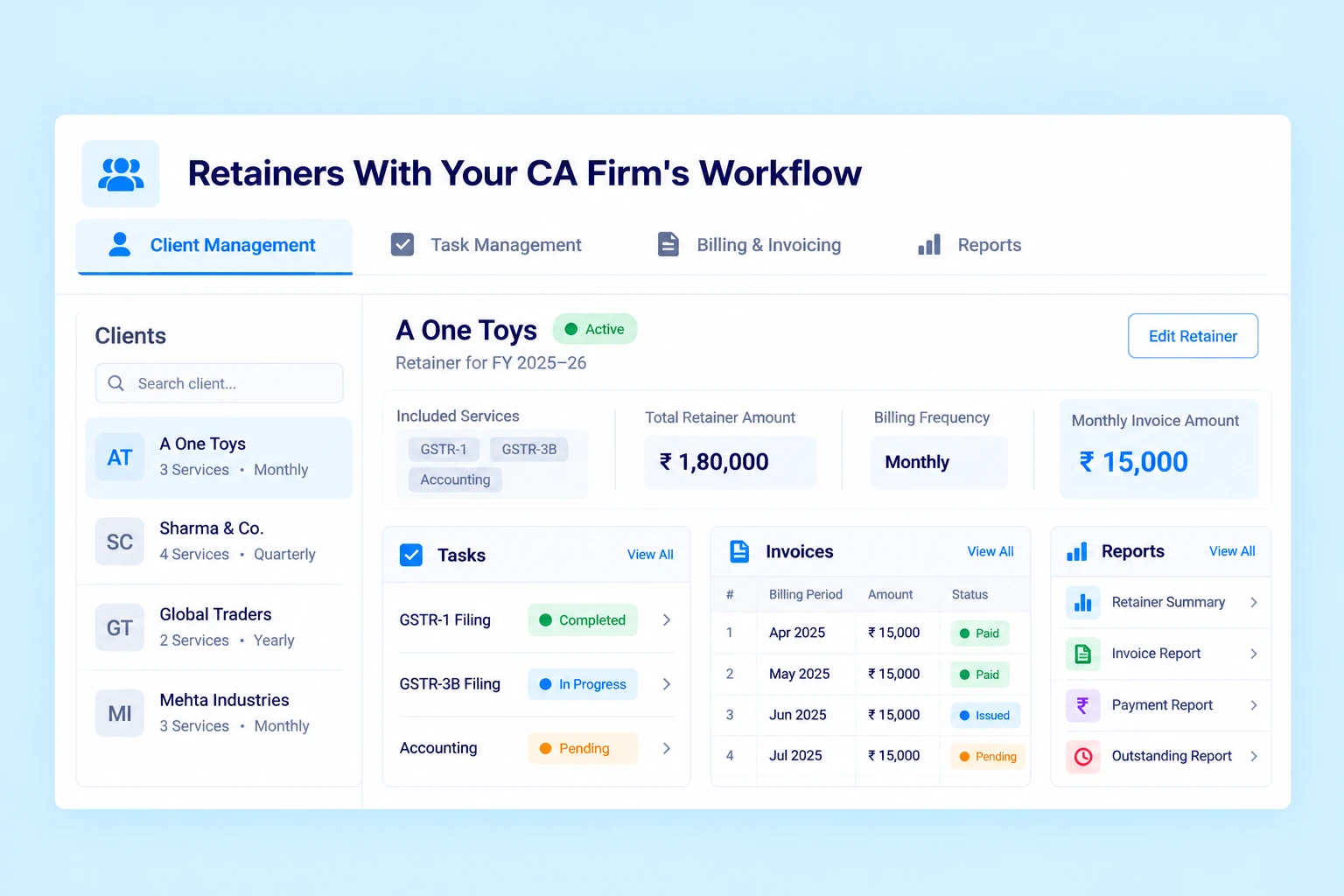
Manage fixed-fee service agreements with flexibility and control. Create retainers for a defined period of up to one year, bundle multiple services, configure billing cycles and track tasks, invoices, payments and outstanding amounts from one dashboard.
A retainer lets you bundle multiple services for a client under a fixed total amount for a defined period. Instead of managing each service agreement separately, organize services and billing details together in Practive.
For example, a CA firm can include GSTR-1, GSTR-3B, Accounting, TDS, Tax Audit and Income Tax Filing under a single client retainer.
Fixed-Fee Service Packages
Group multiple services under one retainer with a predefined total amount for the selected period.
Automate Payment Receipts
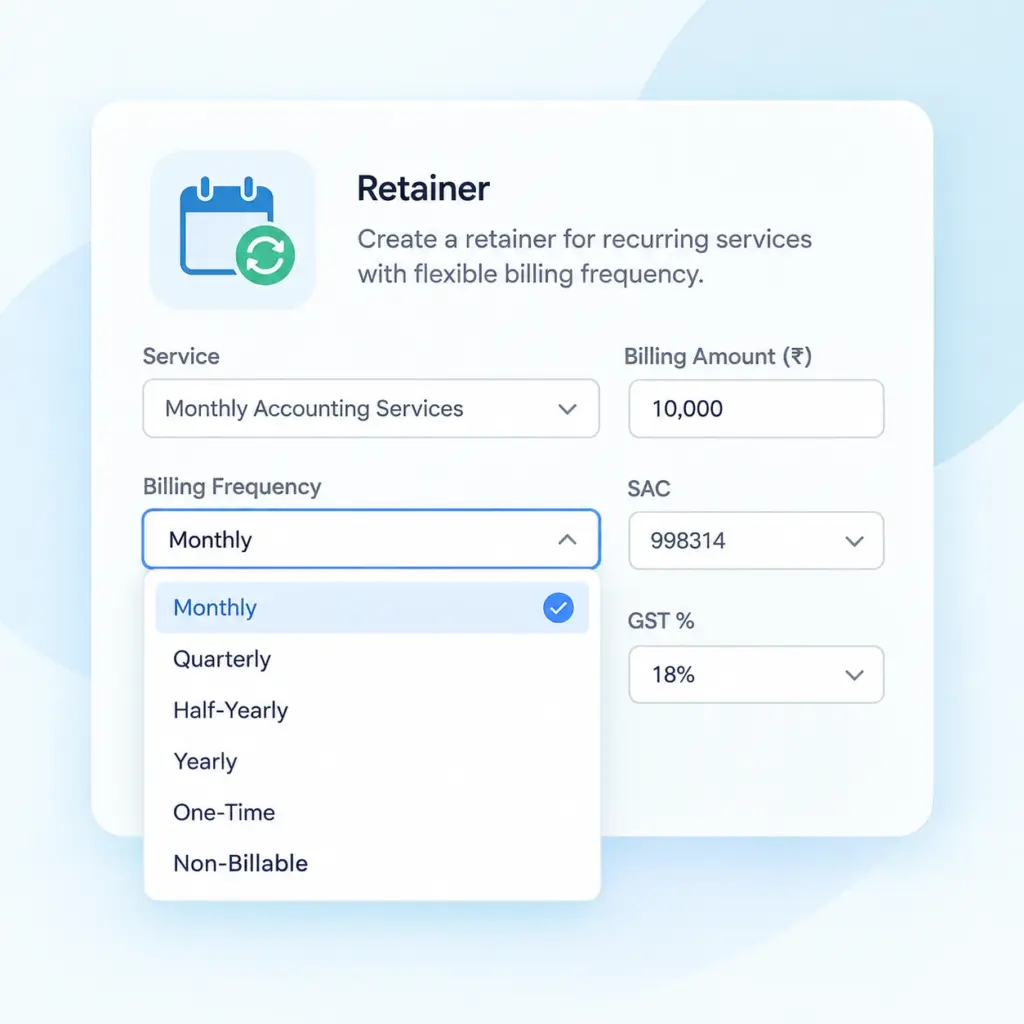
Configure billing based on your client agreements with flexible frequencies, including Monthly, Quarterly, Half-Yearly, Yearly, One-Time, and Non-Billable.
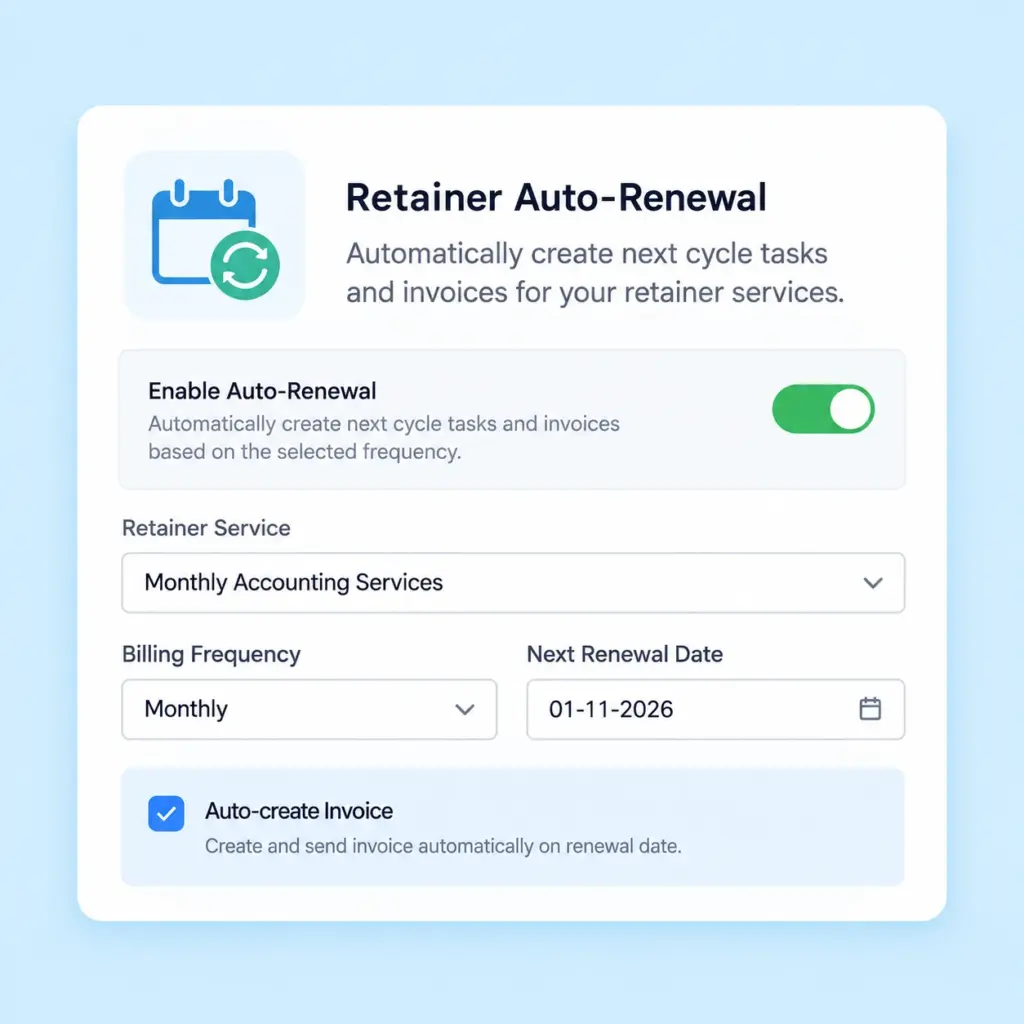
Auto-Renewal
Enable or disable automatic renewal based on your agreement. Use auto-renewal to continue eligible retainers beyond their current period.
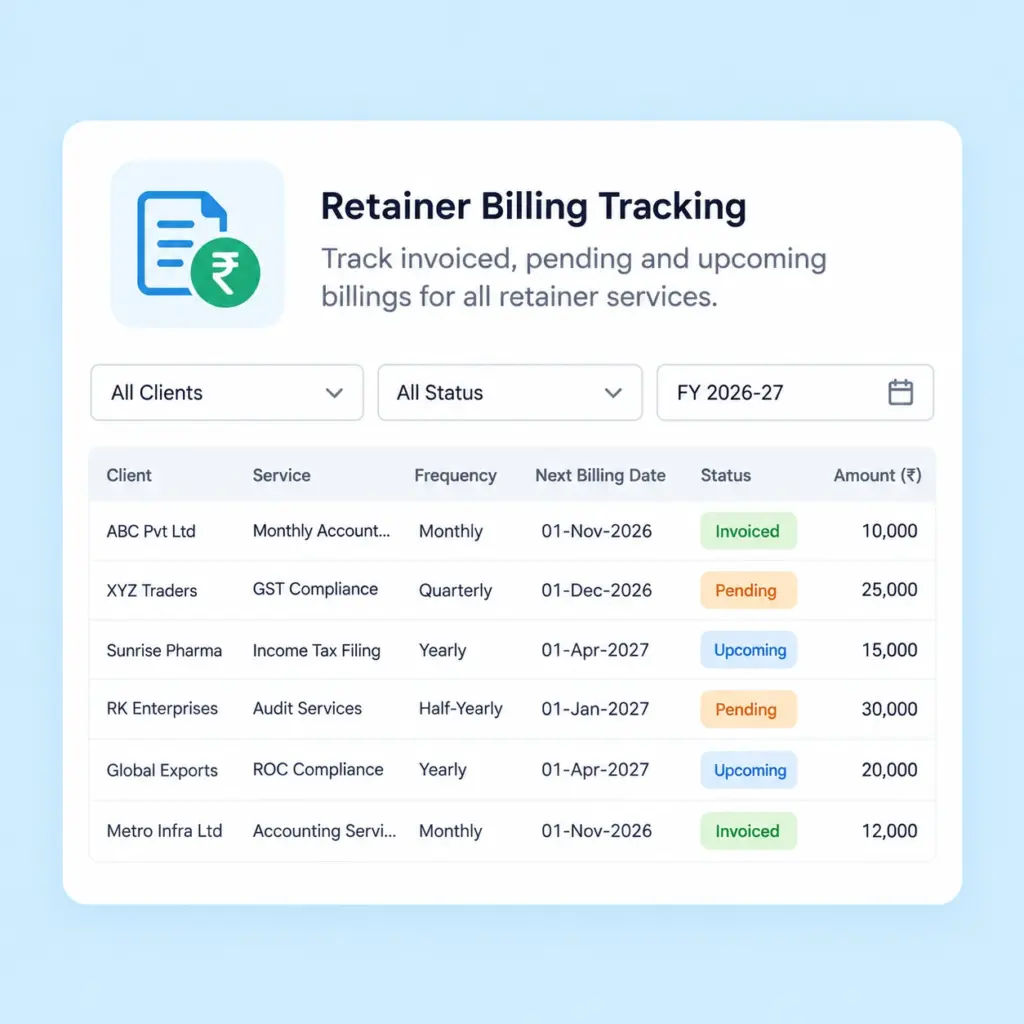
Billing Tracking
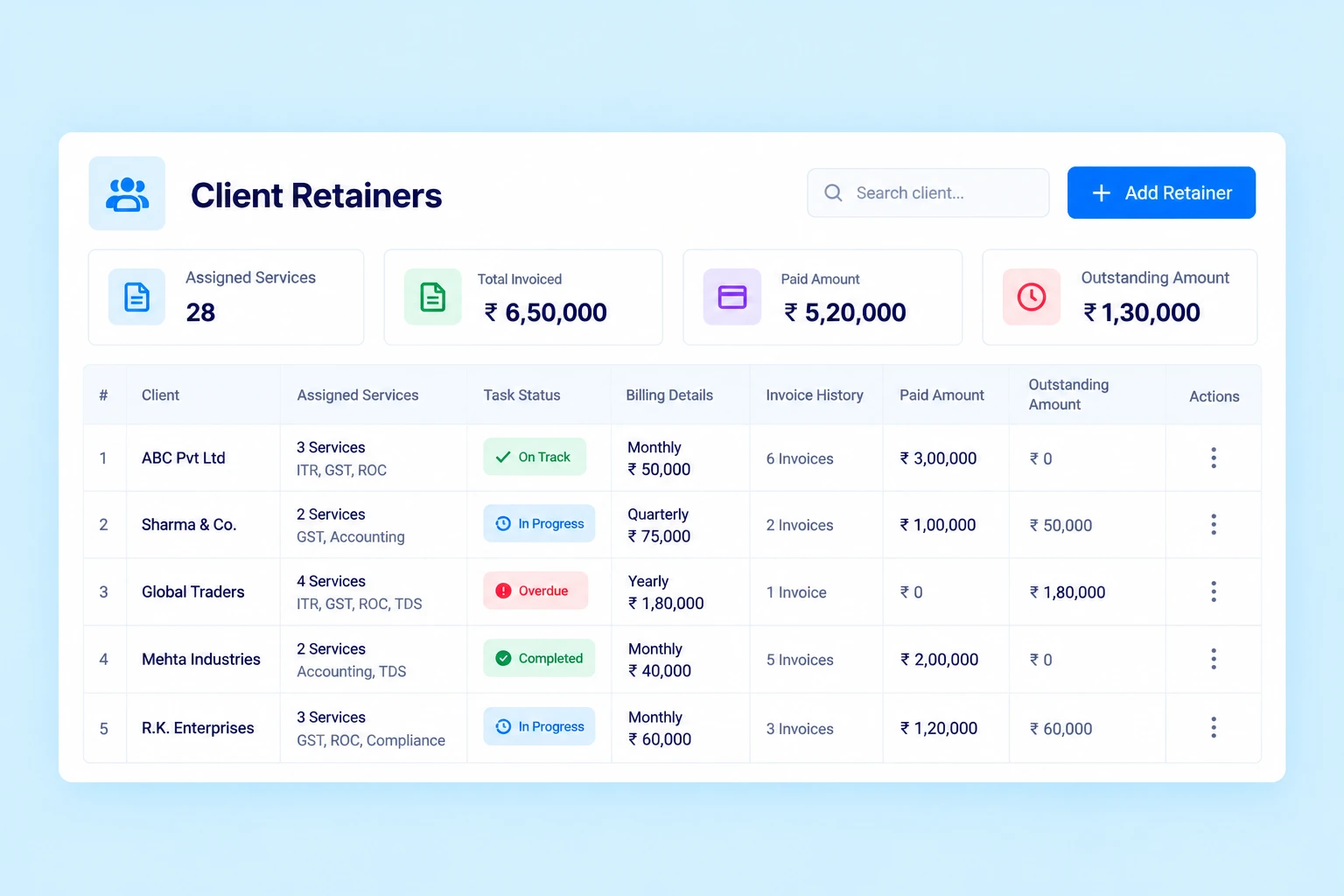
Track billing status individually. View assigned services, task status, invoice history, paid amounts and outstanding amounts from the Retainer Dashboard.
Automate Retainer Invoicing
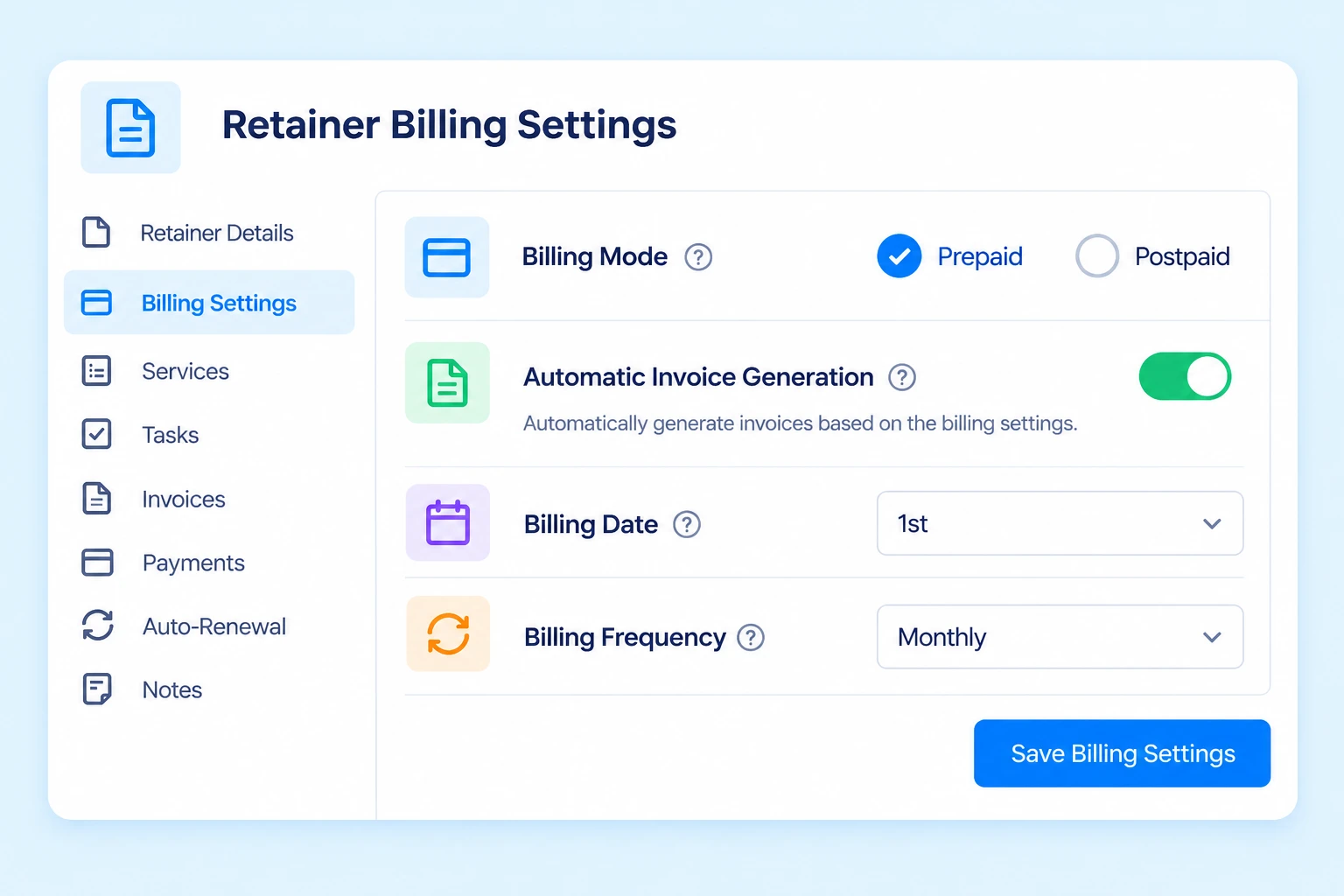
Configure retainer billing settings to reduce repetitive invoice creation.
Billing Mode
Select Prepaid or Postpaid according to your agreement.
Automatic Invoice Generation
Enable automatic invoice creation when required.
Billing Date
Set the billing date for invoice generation.
Billing Frequency
Configure the applicable billing cycle for the retainer.
Once automatic invoicing is enabled and the required settings are configured, invoices are generated according to the selected billing settings.
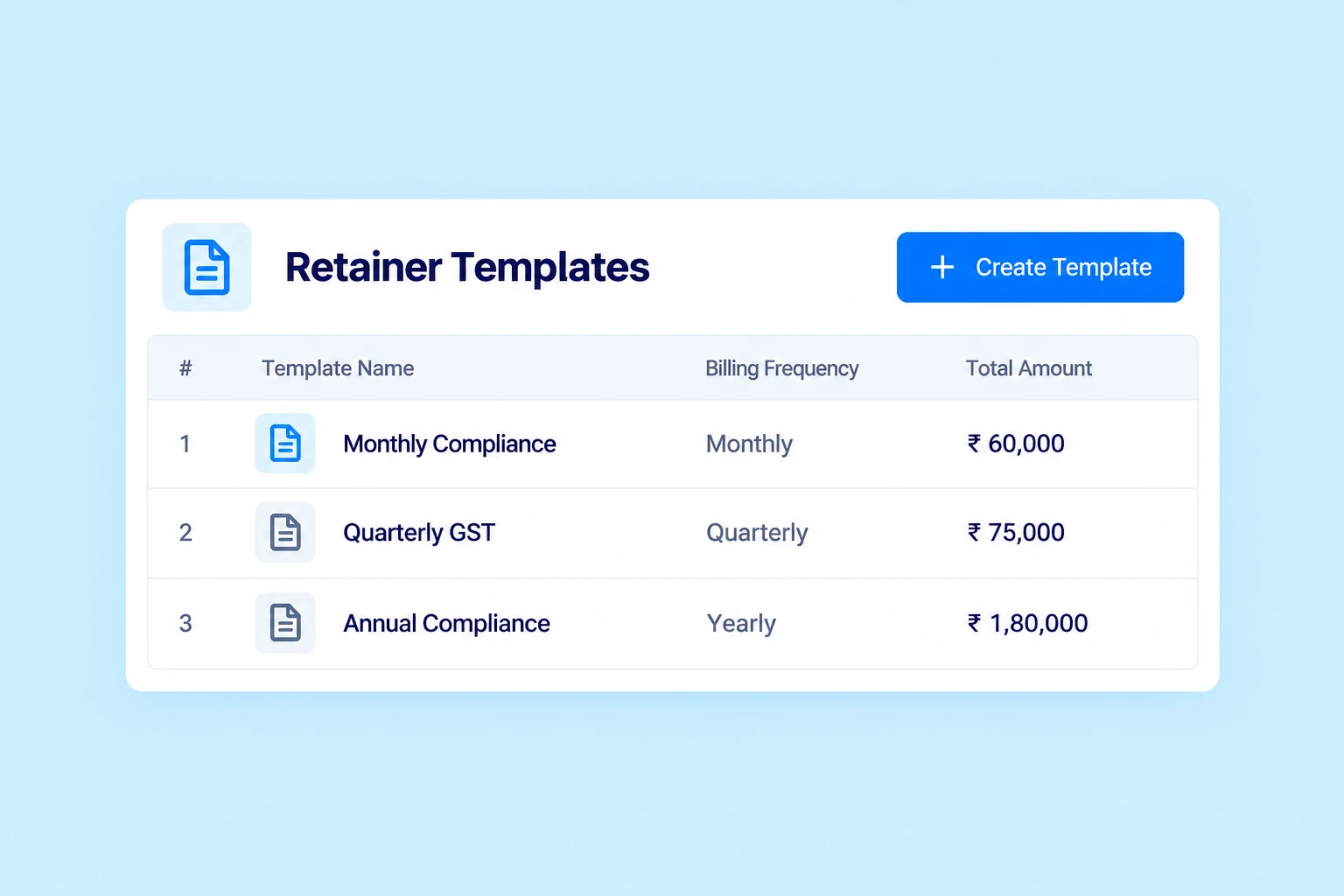
Create Retainers Faster With Retainer Templates
Save frequently used service and billing configurations as Retainer Templates.
A template lets you predefine services and billing settings. When creating a new retainer, select the relevant template to populate the configured details automatically.
Use templates to save setup time and maintain consistency when creating similar service agreements for multiple clients.
Monitor Client Retainers From One Dashboard
Open any retainer from the Retainer section to review its details and current status. The Retainer Dashboard provides access to:
Assigned services
Task status and Billing details
Invoice history and Paid amounts
Outstanding amounts
You can also update services or change the retainer period when required.
Export Retainer Data to Excel
Export your retainer list to an Excel file for further review, record-keeping and analysis. Access the export option from the Retainer menu using the three-dot menu, then select Export.
Example: Monthly Billing for a Client Retainer
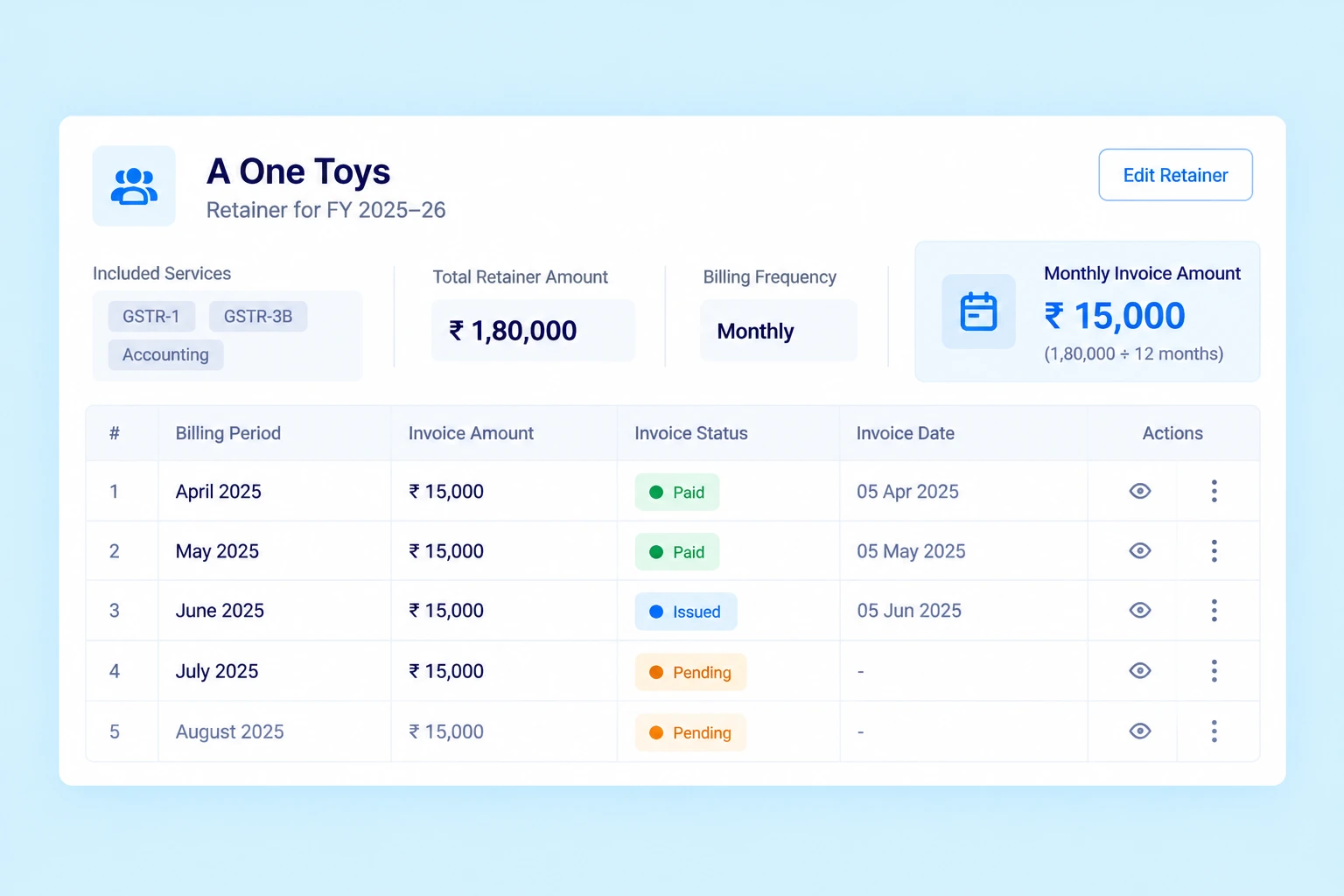
Suppose a CA firm creates a retainer for A One Toys for FY 2025–26.
Included services: GSTR-1, GSTR-3B, Accounting, TDS, Tax Audit and Income Tax Filing
Total retainer amount: ₹1,80,000
Billing frequency: Monthly
If the total amount is divided equally across 12 monthly billing periods, the monthly invoice amount is ₹15,000.
From the Retainer Dashboard, the firm can review task status, generated invoices, paid amounts and outstanding amounts.
Why Use Retainer Management Software for Your CA Firm?
Organize Service Agreements
Group multiple services under one fixed-fee retainer.
Structure Client Billing
Configure billing frequency, billing mode and billing dates according to your agreement.
Reduce Repetitive Work
Use automatic invoice generation and Retainer Templates to simplify routine processes.
Track Tasks and Payments
Review service-level task status alongside invoice history and payment information.
Manage Renewals
Enable or disable auto-renewal based on your client engagement requirements.
Connect Retainers With Your CA Firm's Workflow
Practive reports bring together information from different areas of your practice management workflow.
Client Management
Associate retainers with the relevant clients.
Task Management
Track tasks associated with retainer services.
Billing & Invoicing
Manage invoices, receipts and outstanding amounts.
Reports
Access relevant financial and task reports.
Frequently asked questions
What is a retainer in a CA firm?
A retainer is a bundled service agreement in which multiple services are offered to a client for a fixed total amount over a defined period.
Which billing frequencies are available in Practive?
Available options include Monthly, Quarterly, Half-Yearly, Yearly, One-Time and Non-Billable.
Can Practive generate retainer invoices automatically?
Yes. You can enable automatic invoice generation and configure the relevant billing settings.
What is a Retainer Template?
A Retainer Template stores predefined services and billing settings that can be reused when creating a new retainer.
Can I track tasks and payments for a retainer?
Yes. The Retainer Dashboard provides access to assigned services, task status, invoice history, paid amounts and outstanding amounts.
Can a retainer renew automatically?
Yes. You can enable or disable the automatic renewal setting when configuring a retainer.
Can I export my retainer list?
Yes. You can export the retainer list to Excel from the Retainer menu.
Manage Client Retainers With Practive
Organize service agreements, configure billing, automate invoices and track client retainer activity from one place.