
Manage Client Renewals Before They Expire
Manage client DSCs, Food Licenses, Insurance, Agreements and other renewal records in one place with Practive. Track issue and expiry dates, get reminders before expiry and automate task creation to help your firm stay on top of upcoming renewals.
TRUSTED BY 2,000+ CHARTERED ACCOUNTANTS
Keep renewal records organized across your clients and track important expiry dates without managing separate lists.
Practive supports renewal tracking for Digital Signature Certificates (DSCs), food licenses, insurance policies, agreements
and other client renewal types, helping your team manage important renewal information in one place.
Record the issue date and expiry date for each renewal, along with the relevant client and notes. For DSC renewals, you can also record the DSC class.
Create renewal types according to your firm's requirements. Enable task creation for a renewal type and select a new or existing service when applicable.
Keep upcoming renewals on your radar with expiry-related reminders. Configure automatic task creation for supported renewal types and specify how many days before expiry the task should be created.
Reduce manual follow-ups by configuring task creation for the renewal types that require additional work.
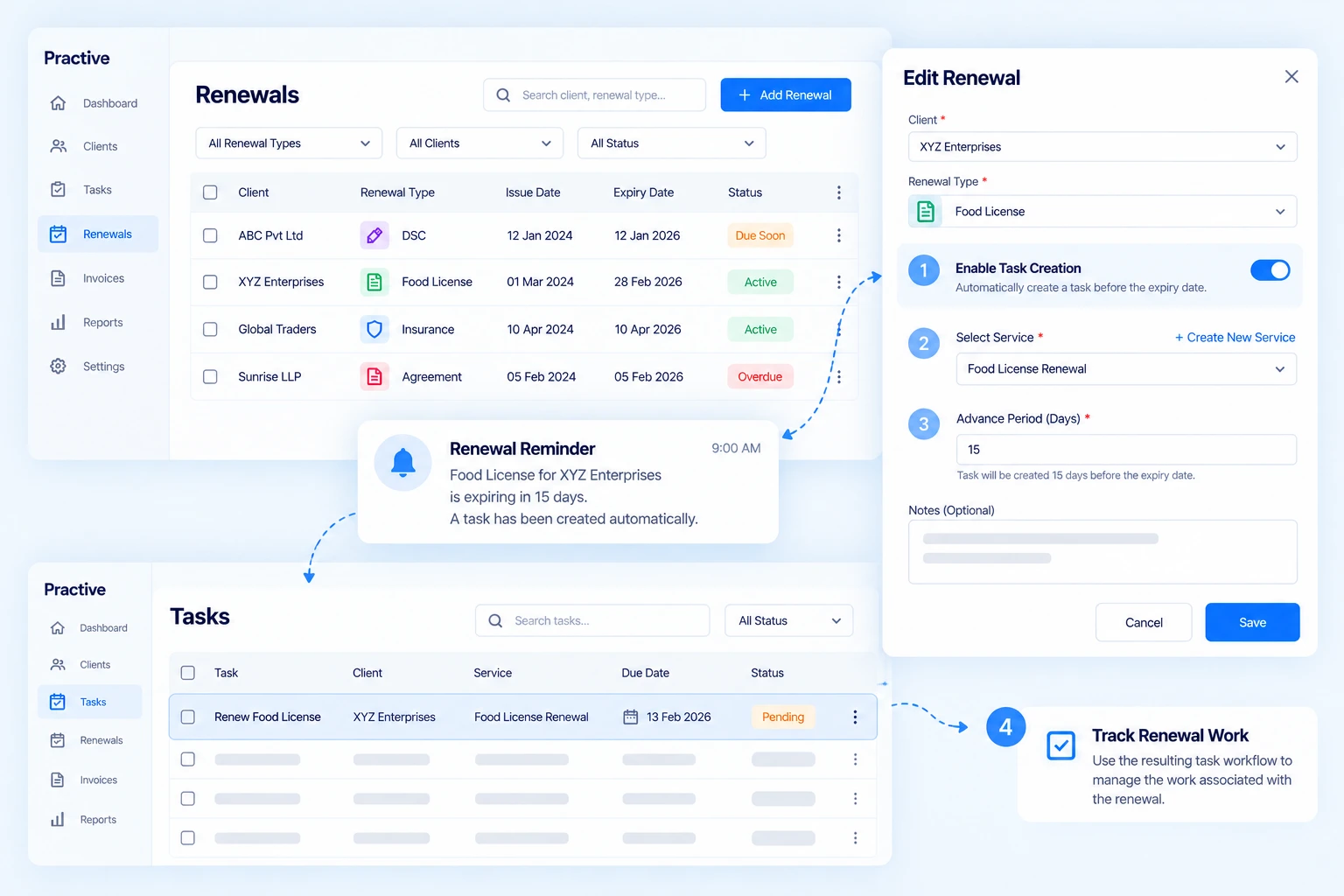
Choose whether a renewal type should have associated tasks.
Create a new service or select an existing service.
Specify the number of days before expiry when the task should be created automatically.
Use the resulting task workflow to manage the work associated with the renewal.
Reduce manual follow-ups by configuring task creation for the renewal types that require additional work.

If you already maintain renewal information in a spreadsheet, use Practive’s import workflow to bring the records into the system.
Manage DSCs, licenses, insurance, agreements and other renewal records in one place.
Track expiry dates and receive reminders to help your team prepare in advance.
Automatically create tasks before expiry for configured renewal types.
Configure renewal types and associate services based on your firm's workflow.
Import renewal records using the provided sample file.
Keep recurring compliance work and important deadlines organized.
Manage the work associated with upcoming renewals.
Keep renewal records associated with the relevant clients.
Organize team access and responsibilities for renewal-related work.
Review relevant client and task information through available reports.
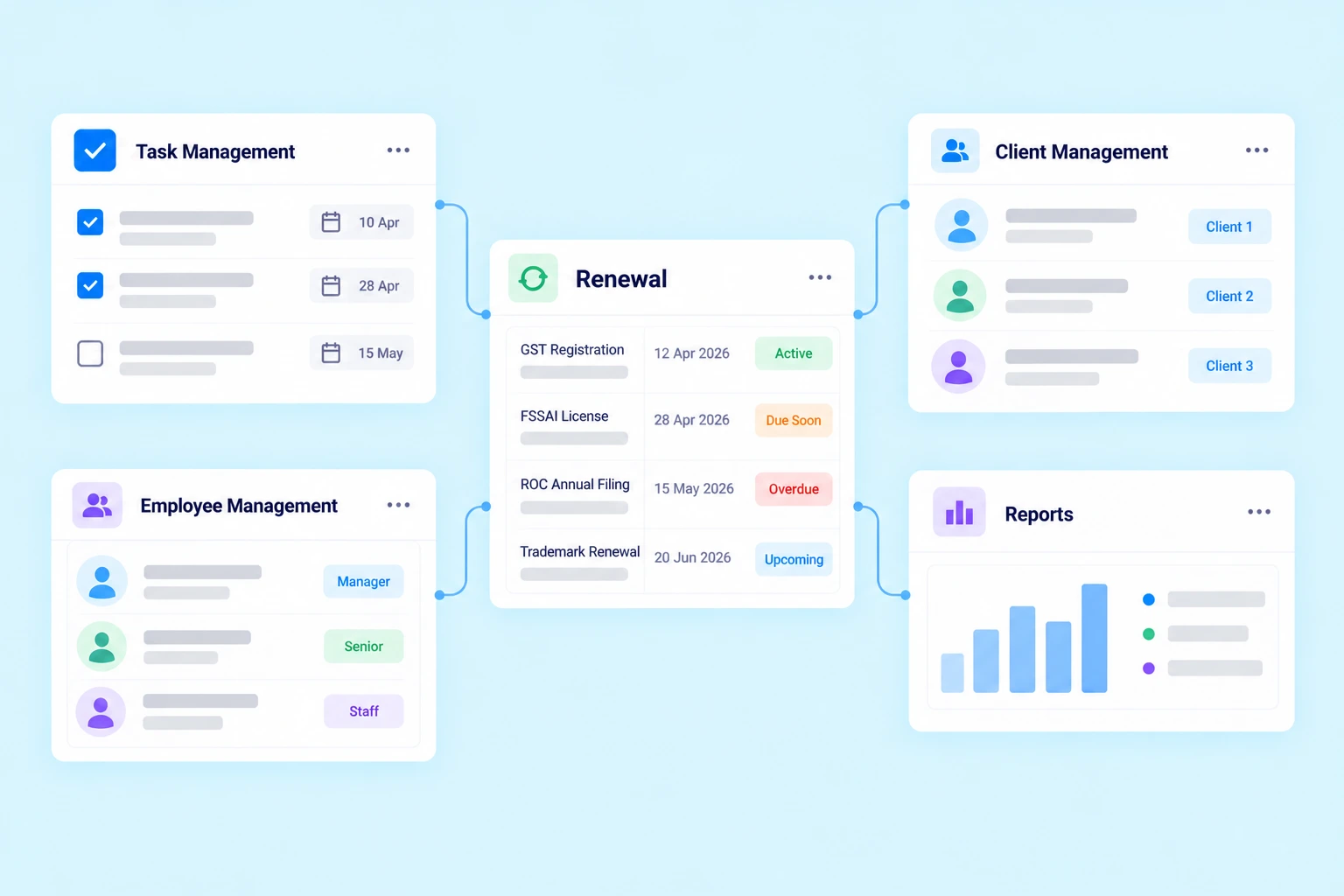
It helps CA firms maintain client renewal records, track expiry dates and organize the work required for upcoming renewals.
You can manage DSCs, Food Licenses, Insurance, Agreements and other renewal types configured for your firm.
Yes. DSC management is available under Renewals, where you can record relevant dates and the DSC class.
Yes. For configured renewal types, you can enable automatic task creation and specify how many days before expiry the task should be created.
Yes. Download the sample file from the Renewals section, enter the required details and import the completed file. Create the relevant renewal types first.
Go to Settings → Data & Utilities → Renewal Types to create and configure renewal types.
Yes. When configuring a renewal type, you can create a new service or select an existing service if task creation is required.

Organize renewal records, track expiry dates and automate renewal-related task creation with Practive.