Manage Your Team With BetterVisibility and Control
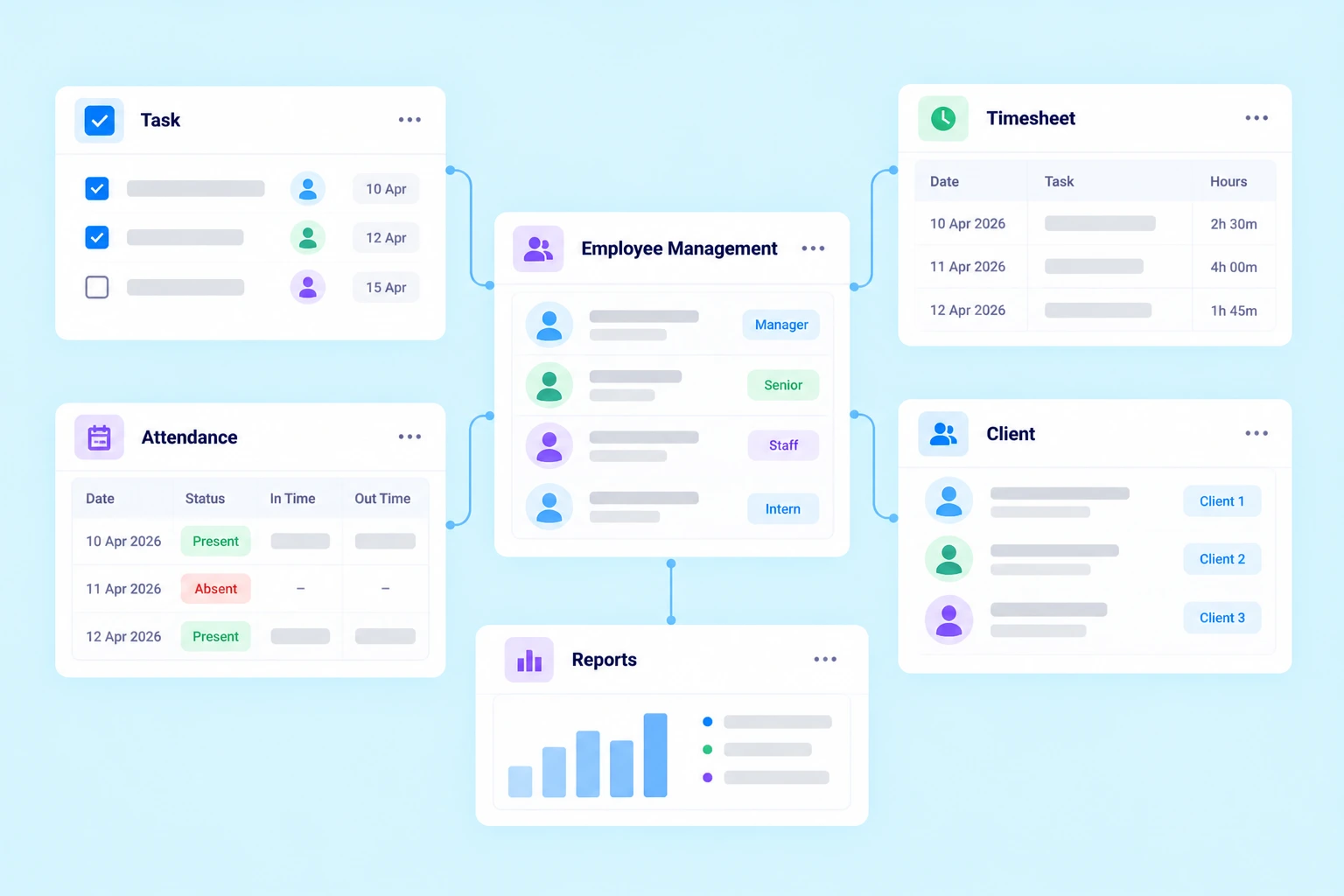
Manage your CA firm’s users, attendance, permissions and daily work hours with Practive. Organize your team with defined access levels, keep staff updated on assigned work and maintain attendance and timesheet records in one place.
Add, remove and manage users with defined roles, permissions and access levels. Keep your team organized and help each member stay aligned with their responsibilities.
User Management
Add or remove team members and manage their access to Practive according to your firm's requirements.
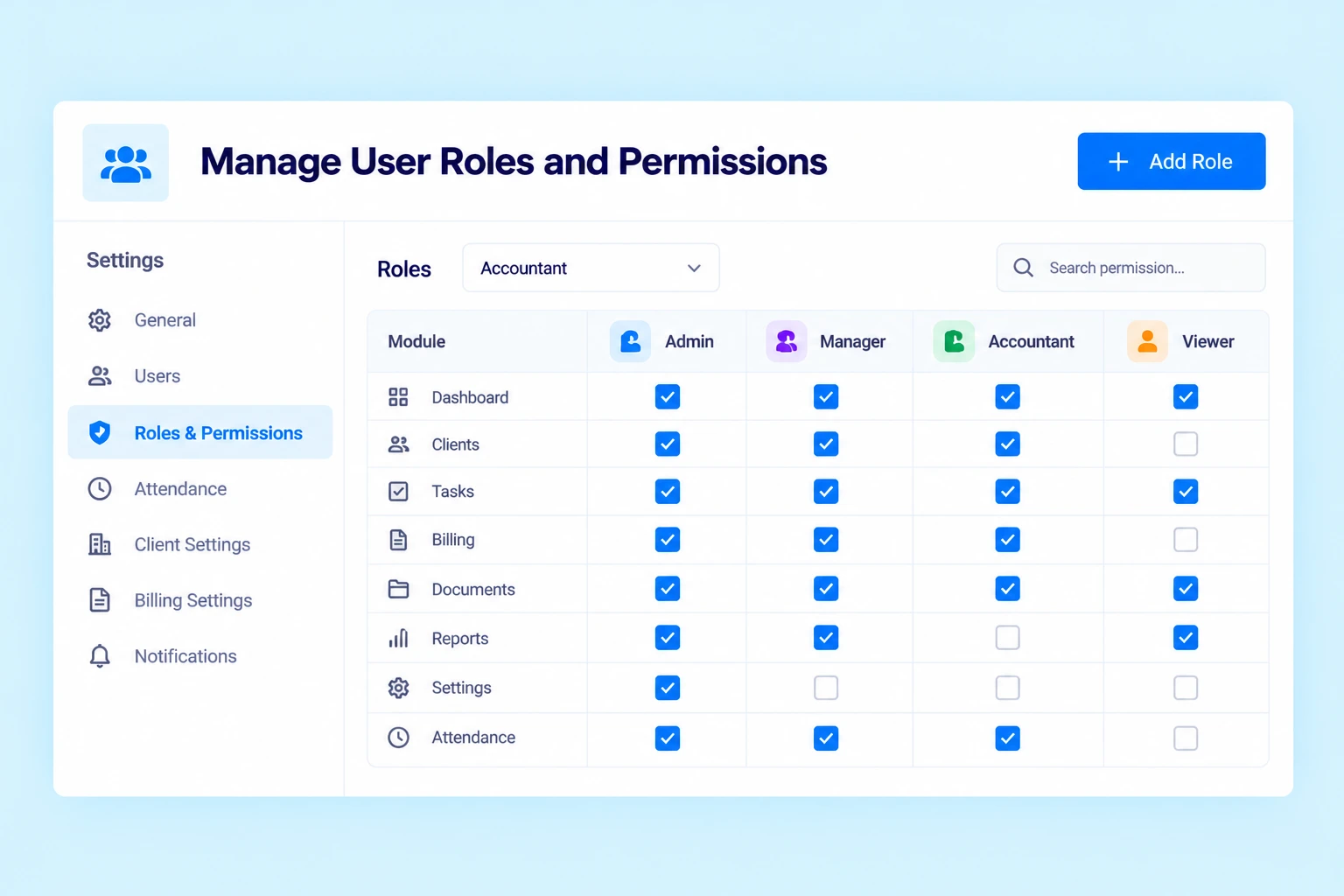
User Roles and Permissions
Assign specific roles and permissions to team members. Control which information and functions they can access based on their responsibilities.
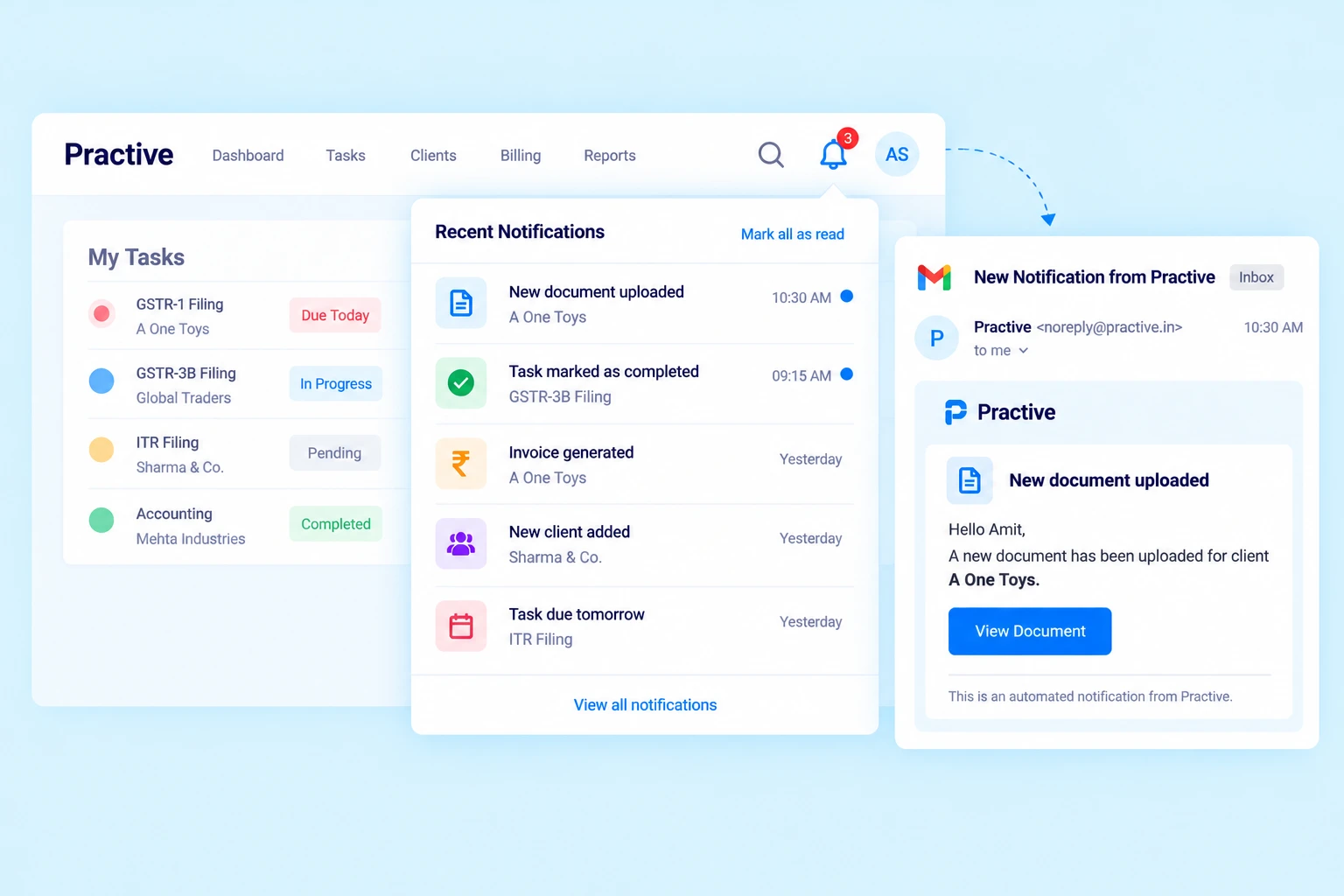
Team Notifications
Keep team members informed with notifications when tasks or To-Dos are assigned to them, helping them stay updated on their work.
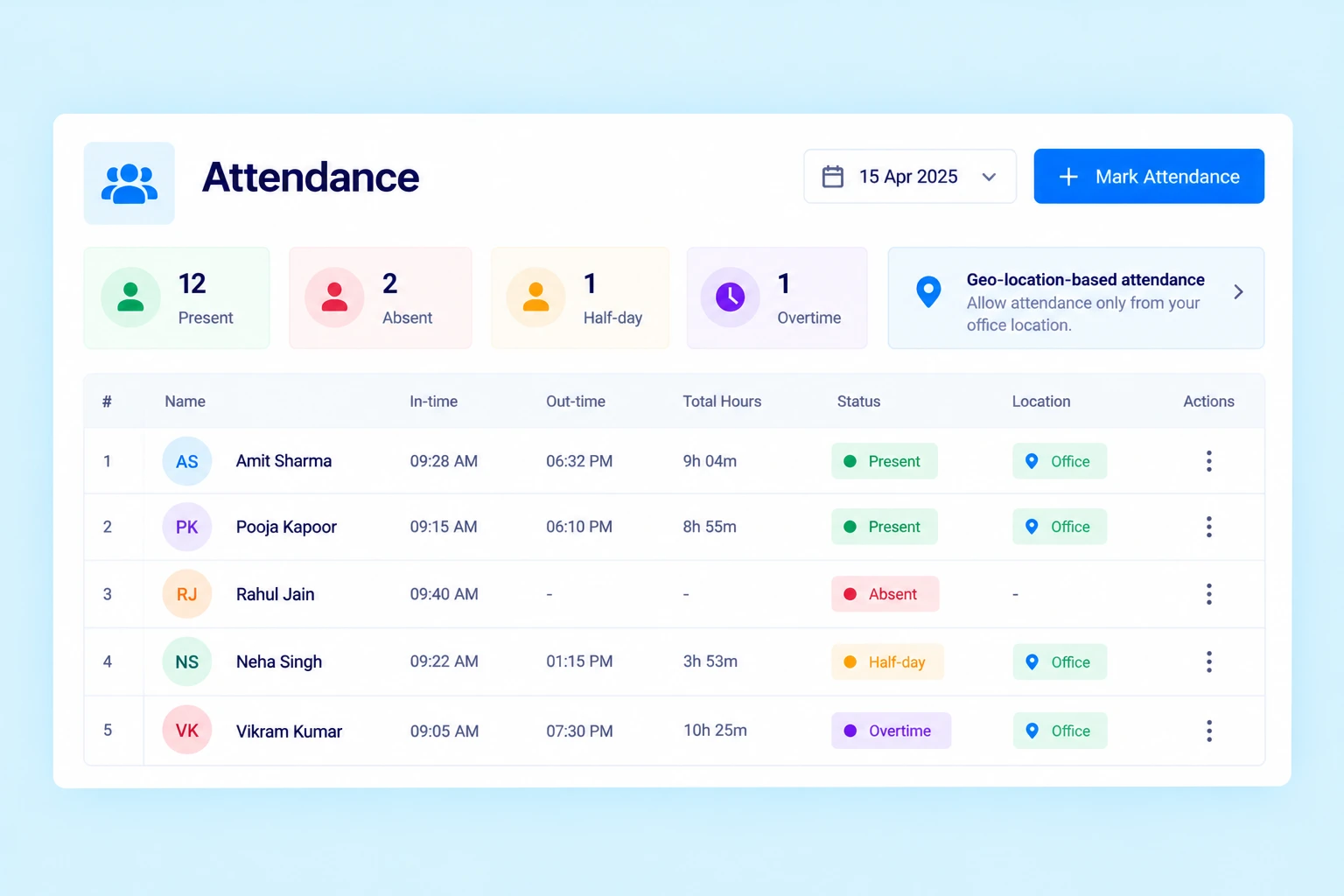
Track Staff Attendance
Maintain attendance records for your team and review staff working hours whenever needed.
With Practive, you can track:
In-time and out-time
Present and absent status
Half-day attendance
Overtime entries
Geo-location-based attendance
Manage User Roles and Permissions
Different team members have different responsibilities. Practive lets you assign roles and permissions to control access to relevant information and features.
Define access according to user responsibilities.
Manage permissions for different team members.
Keep access aligned with your firm’s workflow.
Organize team responsibilities within one platform.
Keep Your Team Updated With Notifications
Help team members stay informed about their assigned work.
Practive sends notifications when tasks or To-Dos are assigned to users, making it easier for them to identify new responsibilities and stay on track.
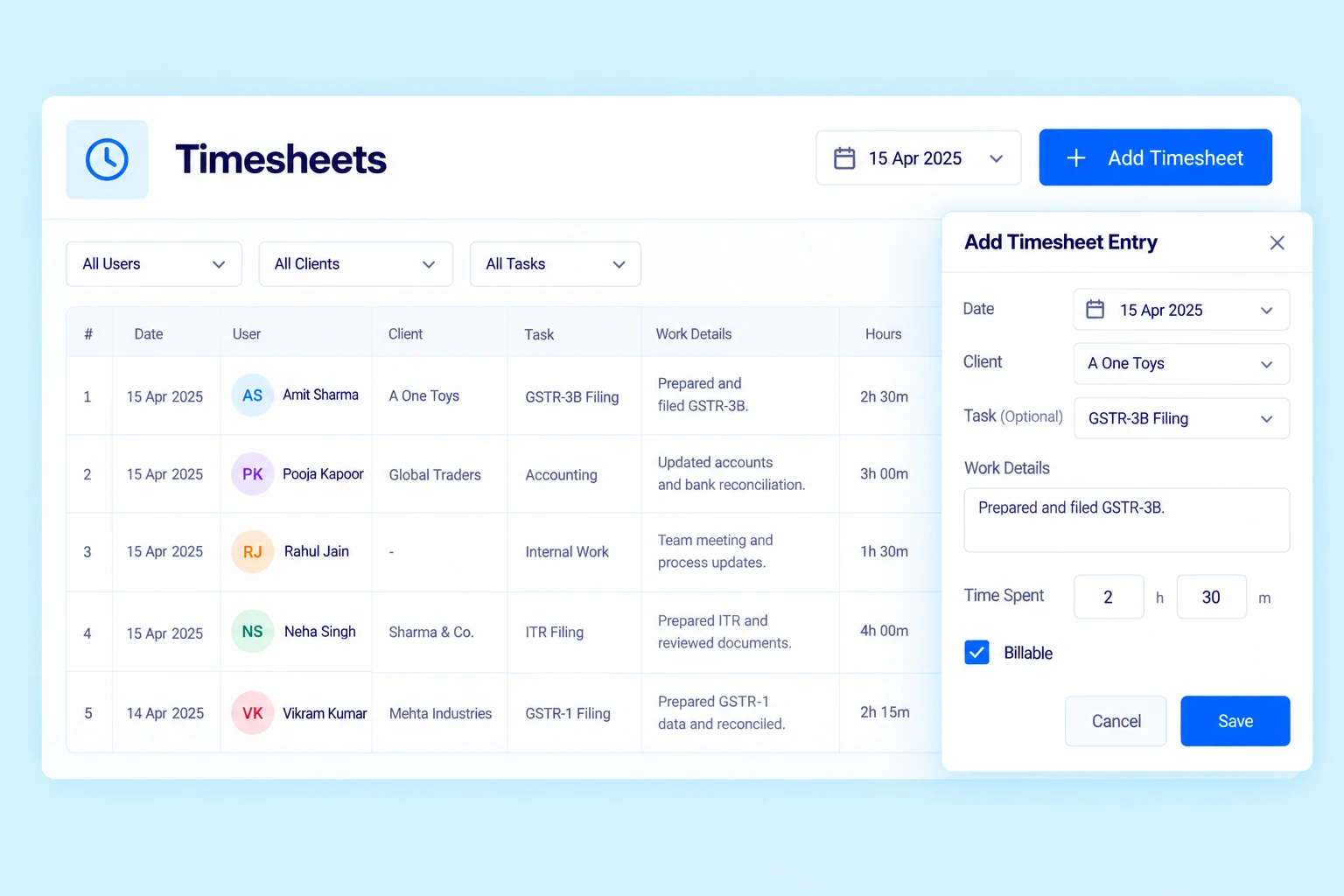
Record Daily Work Hours With Timesheets
Use Practive Timesheet to record the time team members spend on their daily work.
Record daily work hours.
Link time entries to a client and task where applicable.
Add work details to time entries.
Record internal work when no client or task is selected.
Review time records for better visibility into work activity.
Timesheets help your firm maintain a record of time spent on client work and internal activities.
Why Use Employee Management Software for Your CA Firm?
Organize Your Team
Manage users, roles and access levels in one place.
Maintain Attendance Records
Track in-time, out-time, attendance status and overtime entries.
Improve Work Visibility
Keep team members informed when tasks and To-Dos are assigned.
Record Time Spent on Work
Use timesheets to maintain records of daily work hours and activities.
Manage Work Within One Platform
Connect team administration with task management and other practice management workflows.
Connect Employee Management With Your CA Firm's Workflow
Practive brings team management together with other tools used to manage your practice.
Task Management
Assign work and track task progress.
Timesheet
Record time spent on client tasks and internal work
Attendance
Maintain staff attendance records.
Client Management
Keep client information organized alongside your firm’s work.
Reports
Review available work and time records.
Frequently asked questions
What is employee management software for CA firms?
Employee management software helps CA firms manage users, roles, permissions, attendance and other team-related activities from one platform.
Can I manage user roles and permissions in Practive?
Yes. Practive lets you assign roles and permissions to control which information and functions team members can access.
Can I track staff attendance?
Yes. Practive supports attendance records that include in-time, out-time, present, absent, half-day and overtime entries.
Does Practive notify users about assigned tasks?
Yes. Team members receive notifications when tasks or To-Dos are assigned to them.
What is the Timesheet feature in Practive?
Timesheet lets users record daily work hours and work details. Entries can be associated with a client and task, or recorded as internal work when neither is selected.
Can employee management be used alongside task management?
Yes. Team management and task management work together so users can be managed and assigned work within the same practice management platform.
Manage Your CA Firm's Team With Practive
Organize team access, maintain attendance records, keep staff informed about assigned work and record daily work hours with Practive.