
Everything in One Place
Manage all your client information in a single, organized dashboard. Practive helps Chartered Accountants and accounting firms in India organize client records, import client details, assign services, manage pricing and keep important information accessible from one centralized platform.

TRUSTED BY 2,000+ CHARTERED ACCOUNTANTS
Managing a large client base involves more than maintaining names and contact details. CA firms also need to organize client services, assign responsibilities, maintain pricing information and keep important login and DSC details available when required.
Practive brings these client management activities together in one centralized system, helping your team spend less time searching through spreadsheets and scattered records.
With Practive, you can:
Getting client information into an organized system is the first step towards efficient CA practice management.
Practive helps you add clients, organize their details and structure your client database around your firm’s workflow.
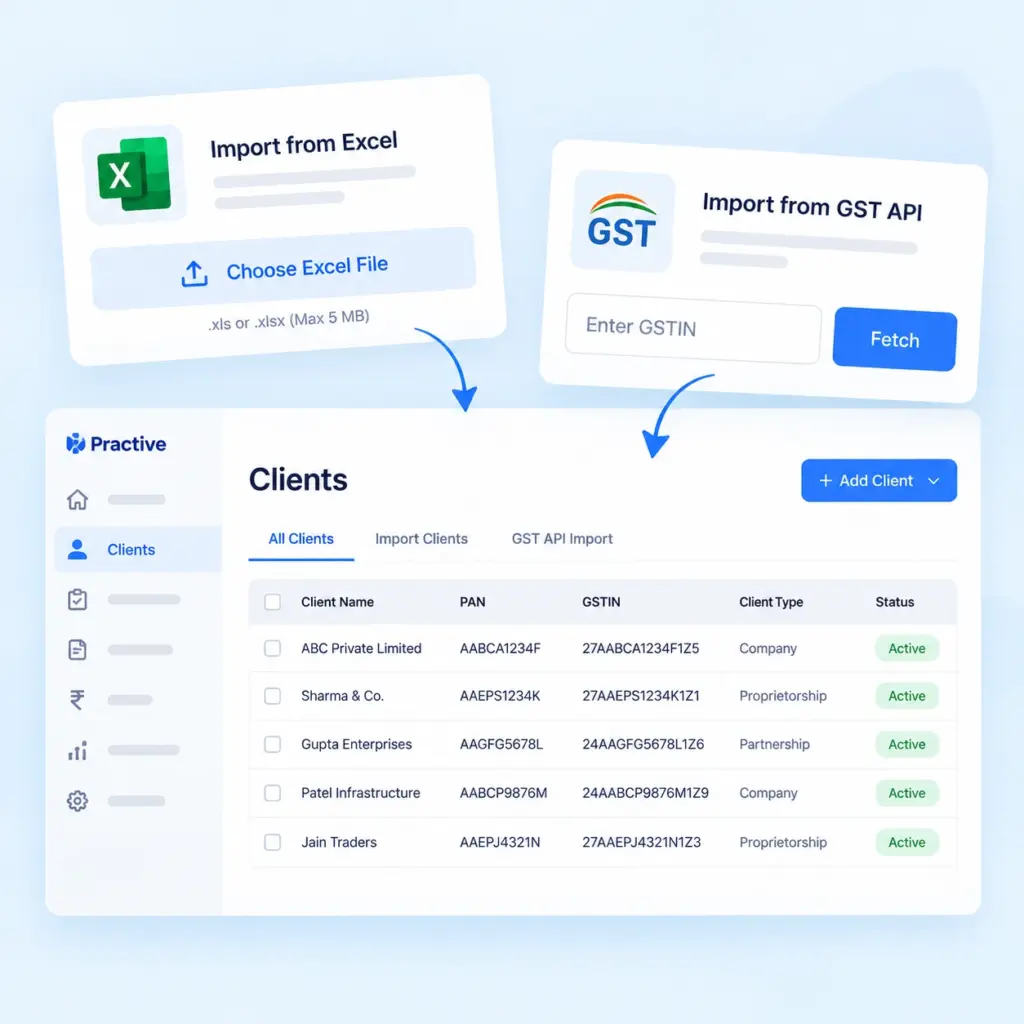
Add client records in bulk instead of entering every record individually.
Practive supports Excel-based client import and GST API integration to help you bring client information into the system more efficiently. This makes it easier to organize client records and reduce repetitive data entry during client setup.
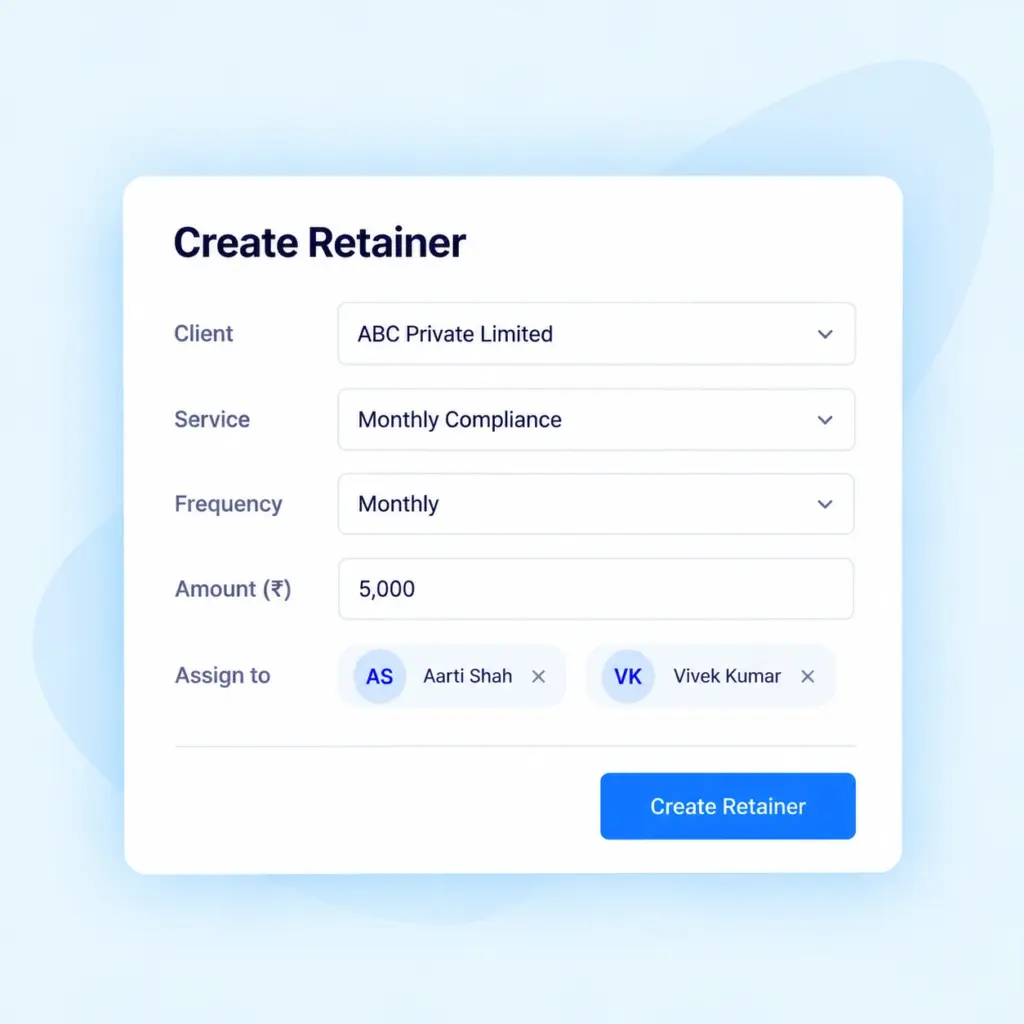
Organize the services your firm provides to different clients. Create retainer (service packages) and assign them to clients to make service tracking and billing more organized. This helps your team understand which services are associated with each client.
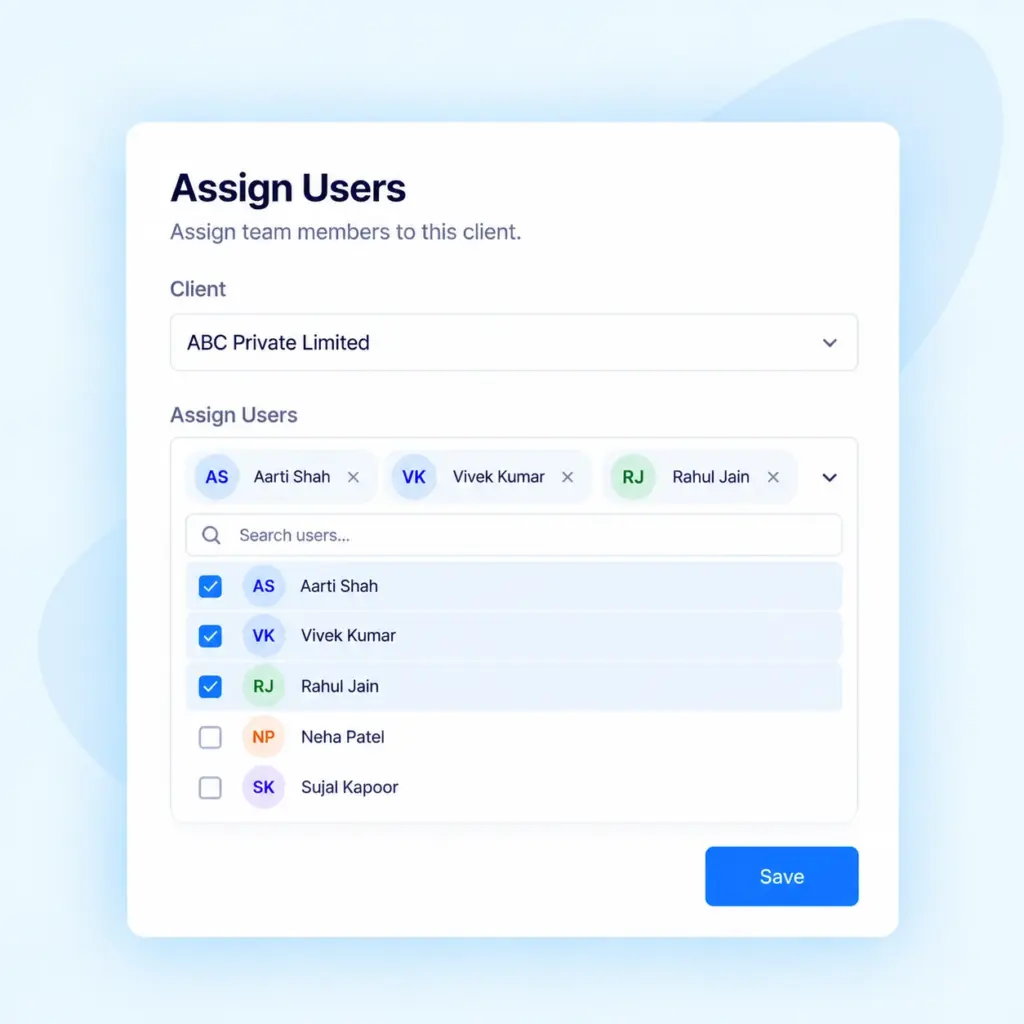
Assign clients to the appropriate team members to establish clear responsibilities. This helps your firm organize client handling, coordinate work and identify the employees responsible for particular client relationships.
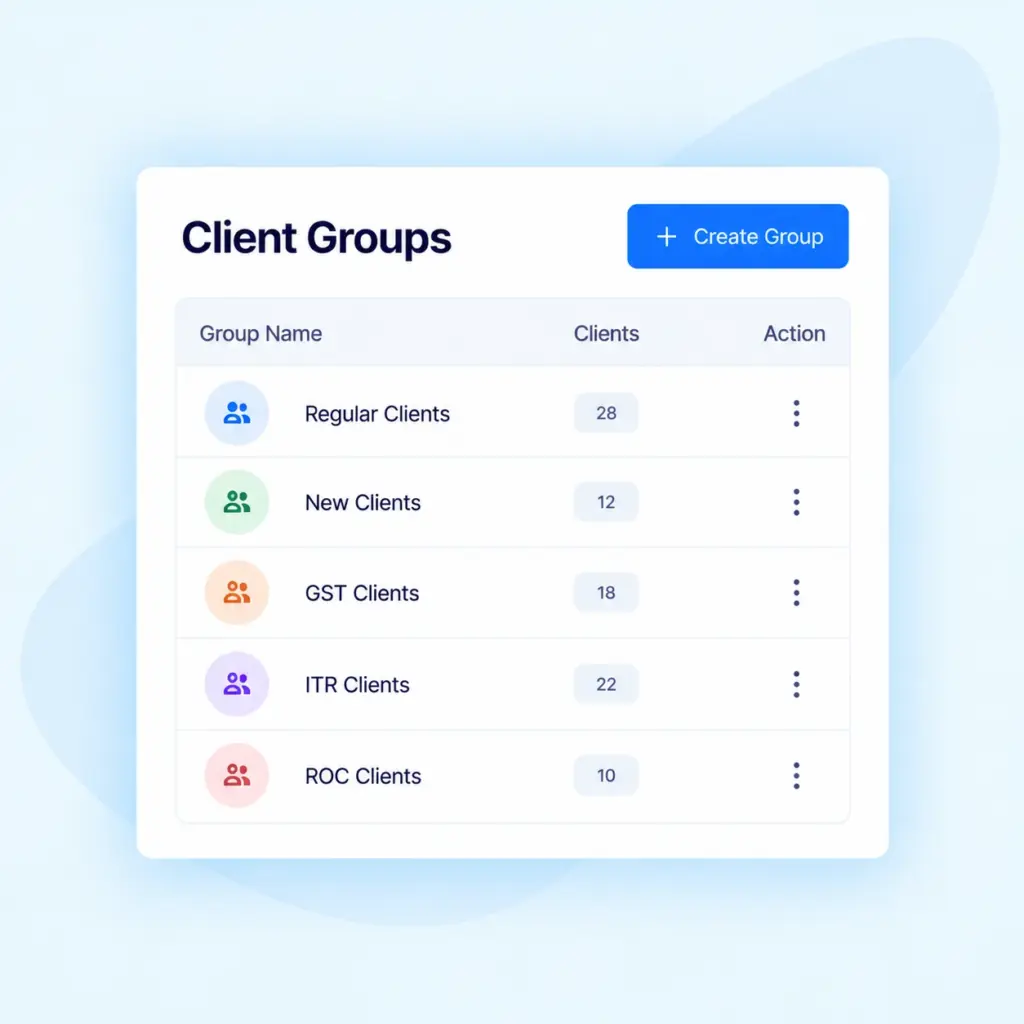
Group clients according to your firm’s requirements, such as family groups, business networks or other categories. Client groups make it easier to organize related records and find the clients you need to manage. You can also use client tags to categorize and filter client records according to your workflow.
Once your client database is organized, your team needs a convenient way to access and maintain client information.
Practive provides a centralized client dashboard to help you review client details and manage important information without searching across multiple records.
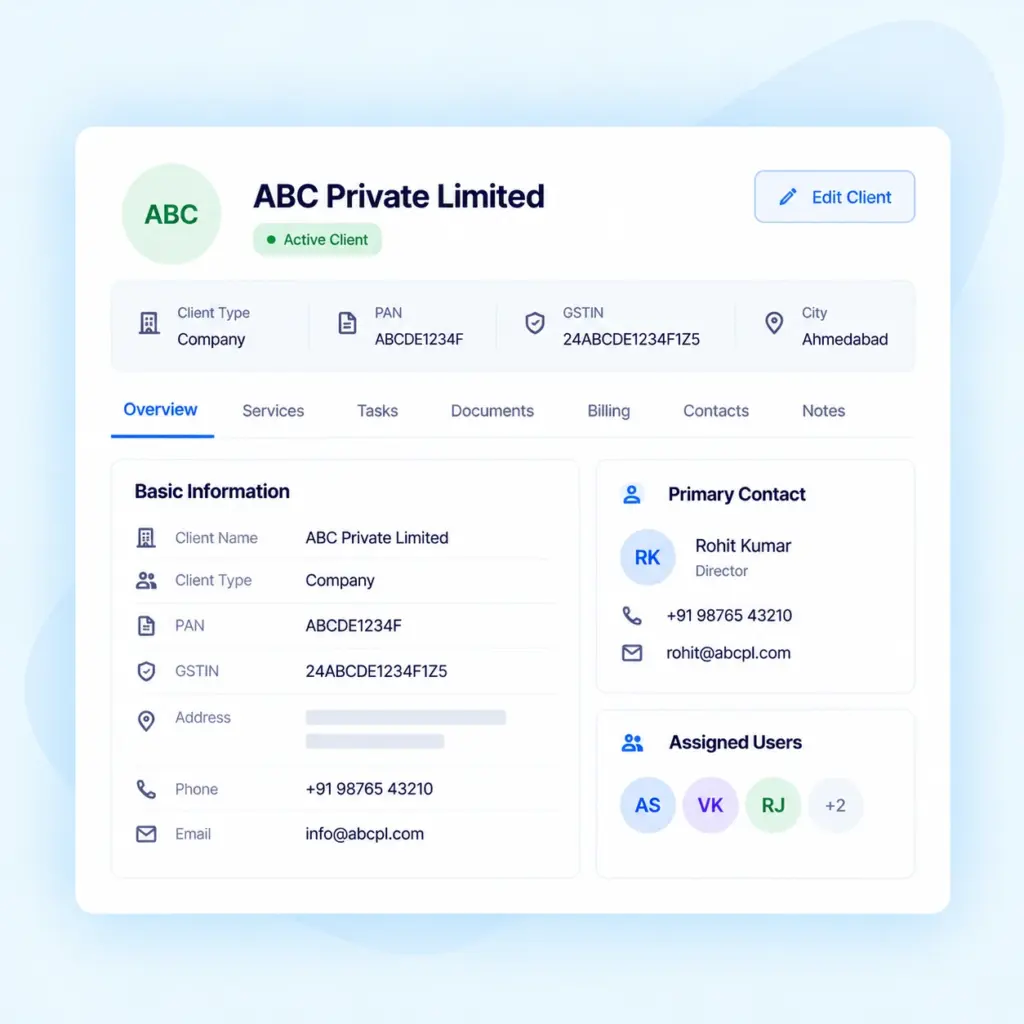
View client information in one organized place. Keep relevant client details accessible to your team so they can find the information needed for their work without repeatedly searching through separate files and spreadsheets.
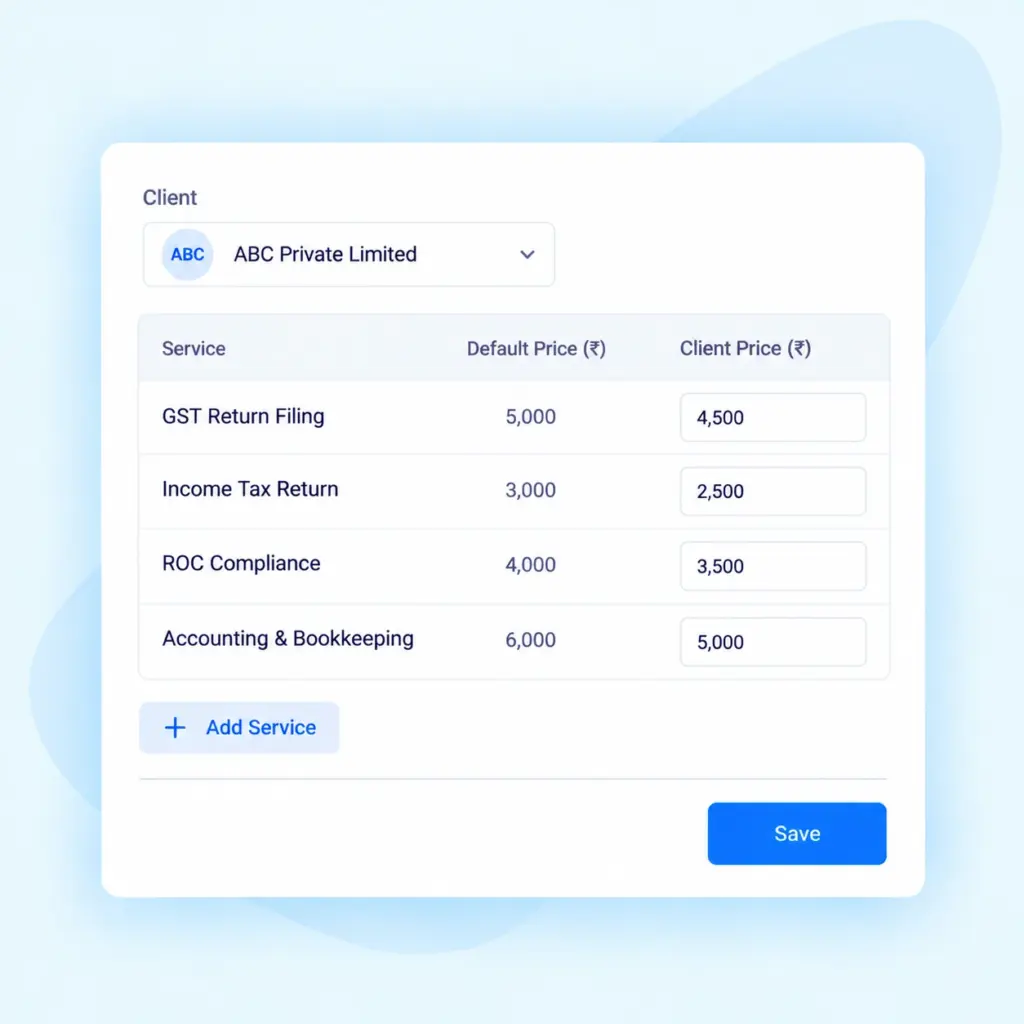
Different clients may have different service requirements and pricing arrangements. Practive allows you to set a default price or customize pricing for individual clients according to your firm’s requirements. This helps you maintain pricing information that reflects your client and service arrangements.
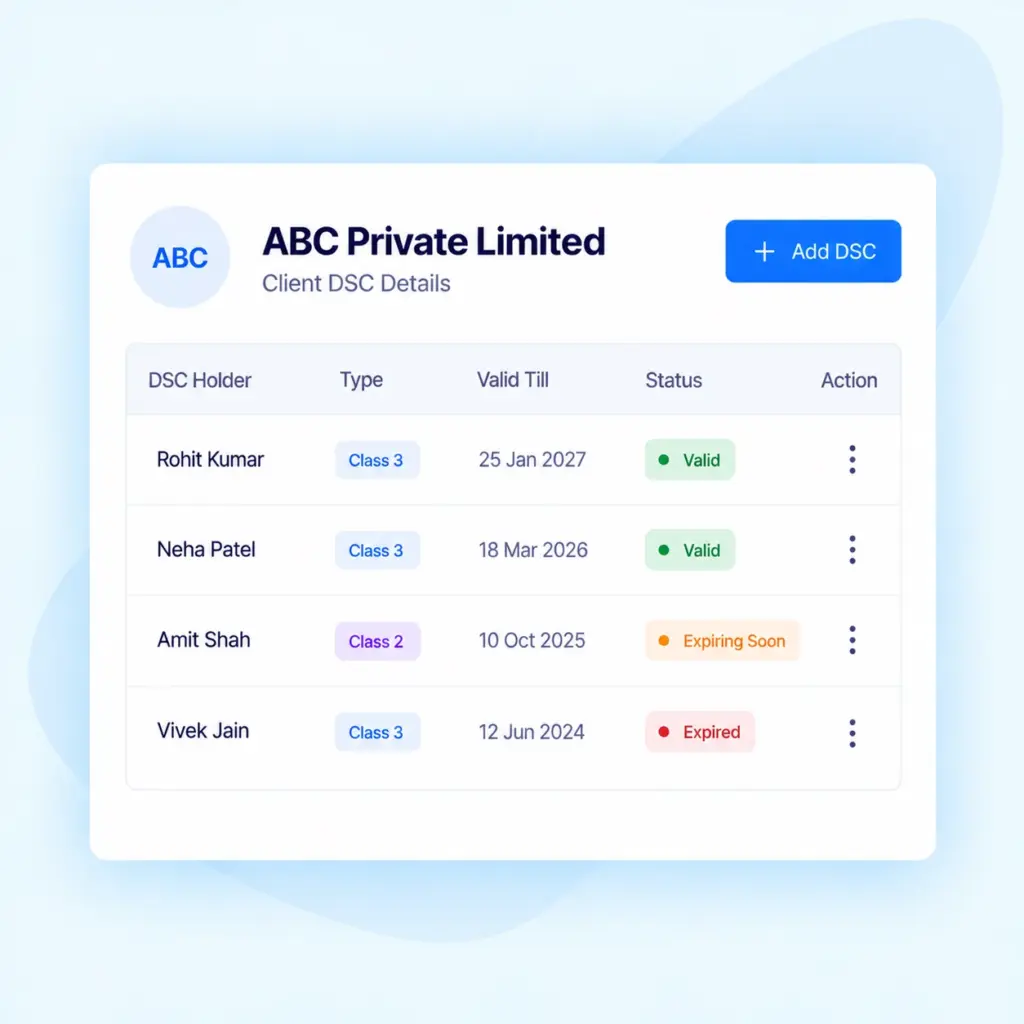
Keep important Digital Signature Certificate (DSC) information organized within your client records. Maintain details such as DSC expiry dates, passwords and certificate class in one place. This helps your team access relevant DSC information and monitor expiry dates while managing client work.
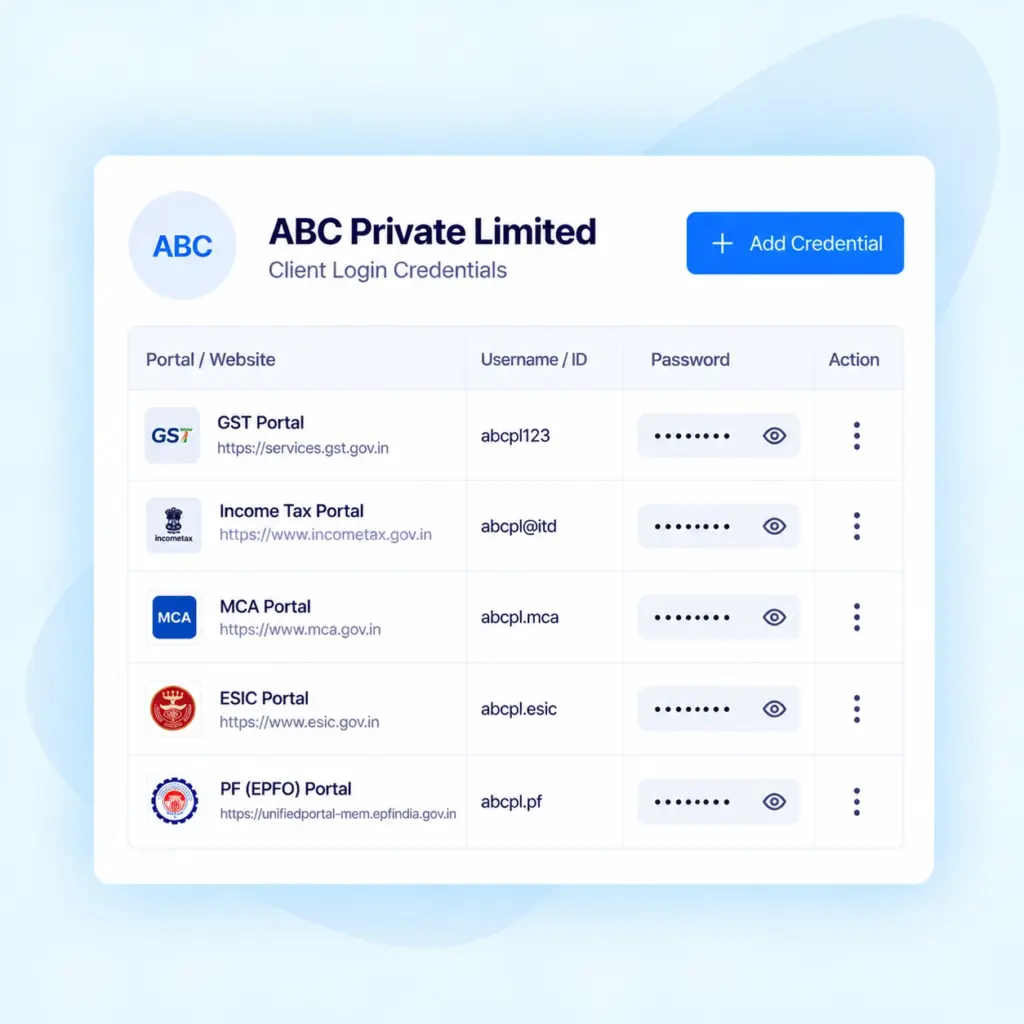
CA firms frequently need to refer to client login details while handling tax, compliance and other professional assignments. Practive provides password management functionality to maintain client login information, including details related to GST, Income Tax Returns (ITR), MCA and other accounts.
As your firm adds more clients, maintaining accurate information across separate spreadsheets and records
can become increasingly difficult. Client management software helps bring important information into one organized system.
Import client records in bulk using Excel or GST API instead of relying entirely on individual data entry.
Keep client details organized in a centralized dashboard rather than searching through scattered records.
Assign responsible users and organize client groups to make client handling more structured.
Set default prices and customize pricing for individual clients according to your firm's requirements.
Organize DSC information, expiry dates and client login details for reference when required.
Use client information alongside services, tasks and billing to organize related activities from one platform.
Client information becomes more useful when it is connected to the services your firm provides.
Practive helps you organize client records alongside assigned services and related workflows.
Practive brings these client management activities together in one centralized system, helping your team spend less time searching through spreadsheets and scattered records.
With centralized client management, your team can:
Organize client assignments, allocate responsibilities and track task progress.
Manage client documents and organize document collection as part of your workflow.
Manage invoices, receipts, service pricing and related billing activities.
Coordinate routine client communication through supported WhatsApp, SMS and Email workflows.
Give clients access to relevant information and document submission through the available client portal functionality.
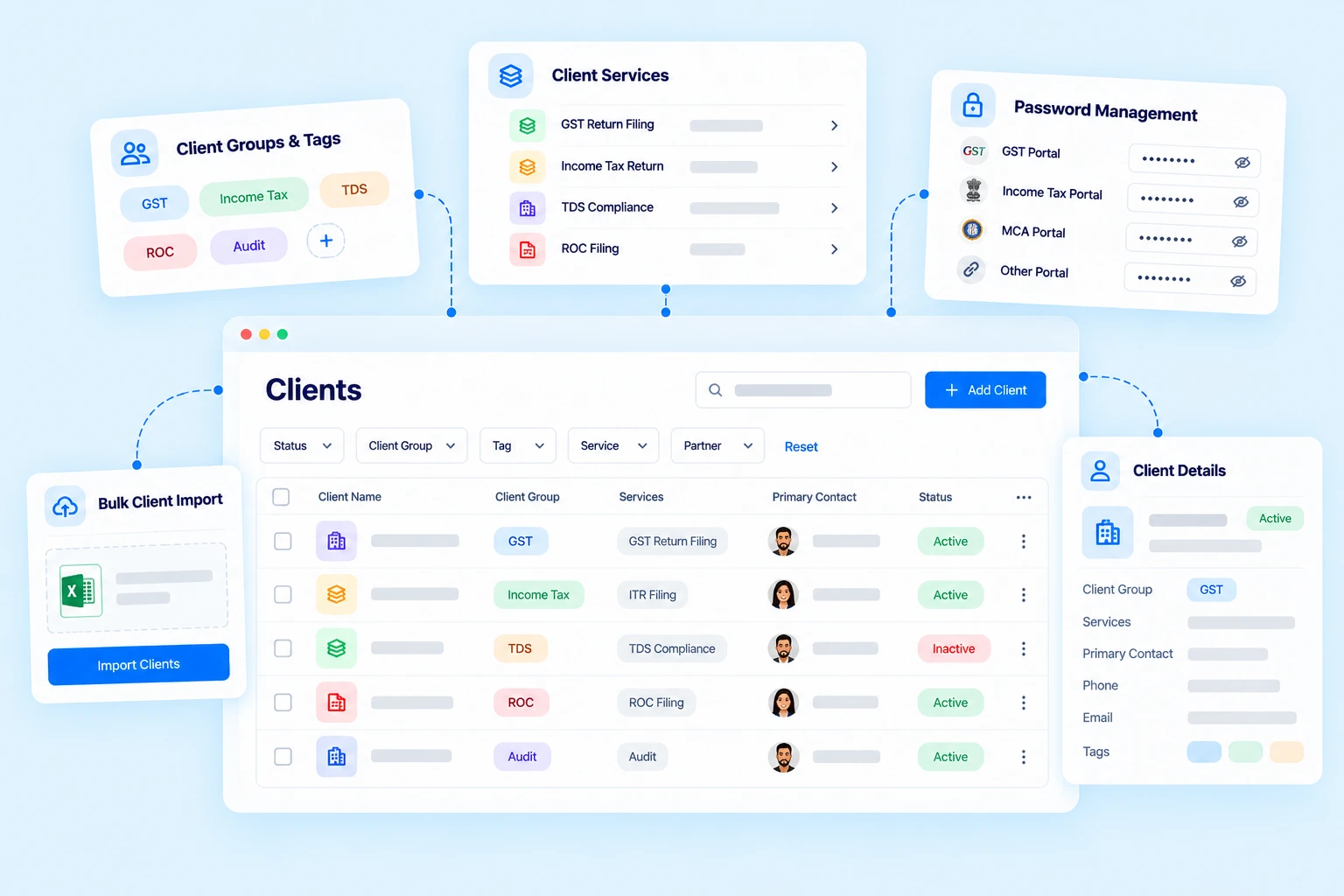
Client management software helps Chartered Accountants organize client records, contact information, services, pricing and other important details in a centralized system.
Yes. Practive supports bulk client import using Excel and provides GST API integration to help with client information entry.
Yes. You can assign responsible users to clients to help organize client handling and team responsibilities.
Yes. You can organize clients into groups according to your firm’s requirements, including family groups, business networks or other categories. Client tags can also help categorize and filter records.
Yes. Practive allows you to maintain a default price and customize pricing for individual clients according to your requirements.
Yes. You can maintain DSC information, including expiry dates, passwords and DSC class, alongside client records.
Yes. Practive includes password management functionality for organizing client login information, including details related to GST, ITR, MCA and other accounts.
Practive supports service packages that can be assigned to clients to help organize service tracking and billing.
Yes. Client information can be used alongside related workflows such as task management, document management, billing and client communication.

Bring client records, services, pricing and important information together in one organized system.